Google Navigation (dark theme): the ETS2 GPS in Google’s dark style for Euro Truck Simulator 2
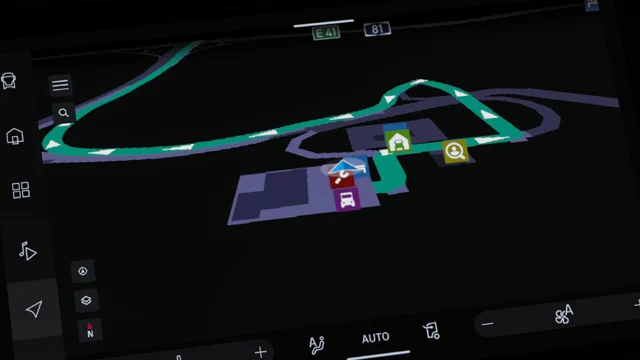
A Google-style dark theme for the ETS2 GPS: route color, redesigned icons, a new pointer and a UI for the SCS phone. Compatible with 1.61 (v1.5). Free.
Download Google Navigation (dark theme): the ETS2 GPS in Google’s dark style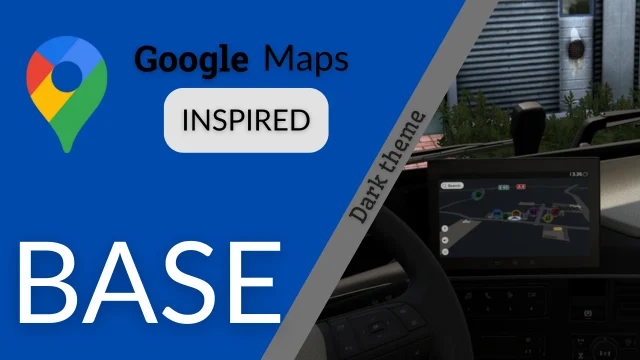
More screenshots on Steam Workshop ↗
What this mod does
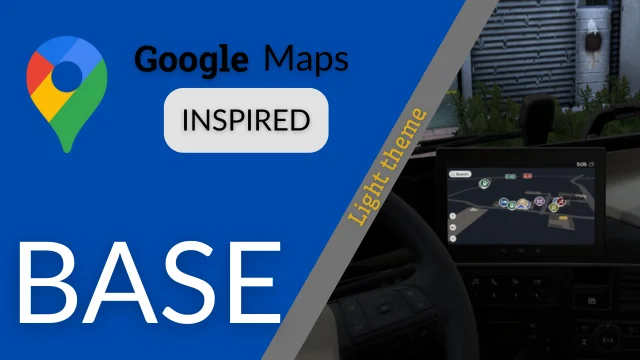
Google Navigation (dark theme), by WILQ, is the dark version of the author’s Google-style navigation for Euro Truck Simulator 2. It has almost 37,000 subscribers on Steam Workshop. Holymod also covers the light version (Google Navigation light theme).
What it changes
- Navigation route color.
- Redesigned map icons and a new pointer.
- Interface for the SCS phones, in Polish and English.
- Black screen on the second display of the Volvo FH6 and the Iveco S-Way.
It’s an optional mod that works in the SCS multiplayer (Convoy) and on all SCS trucks. On some Iveco and Volvo trucks, the author added a second background: press the dashboard’s switch-screen key to see it dark. One player says that on the Iveco S-Way the background shows up light gray.
ProMods and add-ons
It isn’t compatible with ProMods: there’s a separate add-on for that map. The author also releases add-ons with the SCS road color or with inverted colors, and versions for ATS.
Version
Version 1.5 says «Compatible 1.61» and thanks Mobilek for the help. The last update was on September 18, 2026. The author asks that it not be reuploaded: Steam Workshop is the only download source.
Holyfix Check
Will it work with your mods?
Load your game.log.txt and check whether this mod is for your ETS2 version, whether you're missing a mod or DLC it needs and where to place it.
It's in Documents › Euro Truck Simulator 2 › game.log.txt. It's read in your browser: the file is never uploaded.
Something else failing? Holyfix for ETS2 checks all your mods at once.
User rating
Our rating
0.0 / 5- A dark, clean GPS that's easy to read at night
- Confirmed for 1.61
- Very light (249 KB)
- Needs a separate add-on for ProMods
- On the Iveco S-Way the background may show up light gray, according to a player
- Unofficial mod: trademarks belong to their owners; neither Holymod nor the author is affiliated with them (Google)
Requirements
- Euro Truck Simulator 2
- A Steam account to subscribe on the Workshop
- No DLC needed
- With ProMods: the author's compatibility add-on
How to install it
- Open the “Google Navigation (dark theme)” page on Steam Workshop and click “Subscribe”.
- Launch Euro Truck Simulator 2 and wait for Steam to finish the download.
- Open your profile's Mod Manager and enable the mod.
- If you play with ProMods, also subscribe to the author's ProMods add-on.
- In the Iveco or Volvo, press the dashboard's switch-screen key to see the dark background.
Version history
-
1.518 Sep 2026Current
Compatible with 1.61
Common problems
Does it work with ProMods?
Not directly: you need the compatibility add-on the author releases.
The background isn't dark
On some Iveco and Volvo trucks you have to press the switch-screen key to see the dark background.
Can I use it in Convoy?
Yes, the author says it's optional and works in the SCS multiplayer.
More mods for ETS2
 ✓ ETS2 1.61Multiplayer
  ✓ ETS2 1.61
  ETS2 1.60
  ✓ ETS2 1.61
  Multiplayer
  ETS2 1.59