RusMap for Euro Truck Simulator 2
Adds European Russia and Belarus, with 50+ Russian and 18 Belarusian cities. Works without ProMods; needs nine map DLC, including Going East! and Nordic Horizons.
Download RusMap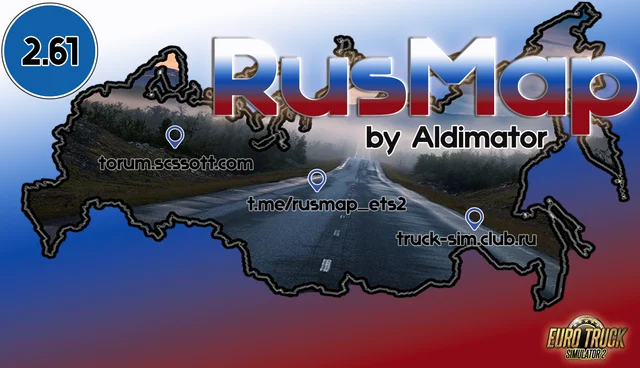
More screenshots on forum.scssoft.com ↗
What this mod does
RusMap is one of Euro Truck Simulator 2’s longest-running map expansions: its team, led by aldimator, has been developing it since 2014. It extends the map eastward with European Russia and all of Belarus, connected to the game’s base map.
What it adds
- Northern Russia: Moscow, the Leningrad region, Tver, Novgorod, Pskov, Karelia and Murmansk.
- West and south: Kaluga, Bryansk, Smolensk, Tula, Oryol, Kursk, Belgorod, Voronezh, Tambov, Penza, Lipetsk, Saratov and Volgograd.
- Belarus: all six regions, with Minsk, Brest, Vitebsk, Gomel, Grodno, Mogilev and other mid-sized cities.
- More than 60 federal and regional roads, such as the M11, M4, M10 and E20.
Who it’s for
It’s for you if you enjoy long routes through Eastern Europe, with drives of several hundred kilometers between cities and a landscape of plains and forests. You don’t need ProMods, although the author says it’s compatible with ProMods, Roextended, SibirMap 2.0, Southern Region and Volga Map. To join RusMap and ProMods, he also publishes his own connector in the same thread.
Version notes
Version 2.61, from September 17, 2026, adapts the map to patch 1.61 and fixes bugs from the previous release, without adding new territory. It’s about 1.4 GB compressed, so make sure you have free disk space.
Holyfix Check
Will it work with your mods?
Load your game.log.txt and check whether this mod is for your ETS2 version, whether you're missing a mod or DLC it needs and where to place it.
It's in Documents › Euro Truck Simulator 2 › game.log.txt. It's read in your browser: the file is never uploaded.
Something else failing? Holyfix for ETS2 checks all your mods at once.
User rating
Highlights and things to keep in mind
- Covers a huge area: European Russia and all of Belarus
- Works without ProMods and is updated for every game patch
- More than ten years in development, with an active community
- Requires nine map DLC, including Iberia, West Balkans and Nordic Horizons
- The download is about 1.4 GB
- Version 2.61 only adapts the map to 1.61 and fixes bugs; it doesn't add new areas
Requirements
- Euro Truck Simulator 2 version 1.61
- DLC: Going East!, Scandinavia, Beyond the Baltic Sea, Italia, Vive la France !, Road to the Black Sea, Iberia, West Balkans and Nordic Horizons
- 7-Zip or another program that can extract .7z files
- About 1.4 GB free for the compressed file, and a bit more once extracted
How to install it
- Go to the official RusMap thread on the SCS forum and download version 2.61 from the author's link (ModsFire).
- Extract the .7z file with 7-Zip.
- Copy the resulting .scs files into Documents/Euro Truck Simulator 2/mod.
- Open the game, go to the Mod Manager and enable all the RusMap files.
- If you combine it with ProMods, also download the RusMap + ProMods connector from the same thread and follow the load order the author gives.
- Start a new profile or drive to the Russian or Belarusian border to explore the map.
Version history
-
2.6117 Sep 2026Current
Updated for patch 1.61 and fixed bugs from the previous version, no territory changes
Common problems
Do I need ProMods to use RusMap?
No. It works with the game's base map. If you want to use both, the author publishes a RusMap + ProMods connector in the same thread.
Why won't the game load the map, or why is content missing?
Check that you have the nine map DLC it requires (Going East!, Scandinavia, Beyond the Baltic Sea, Italia, Vive la France !, Road to the Black Sea, Iberia, West Balkans, Nordic Horizons) and that you're using the mod version that matches your game version.
Can I keep using my save?
Generally yes, but if you change the order or remove maps from a save that was already using them, you may end up in an area that no longer exists. Back up your profile before trying it.
More mods for ETS2
 ✓ ETS2 1.61Requires DLCMultiplayer
  ✓ ETS2 1.61Requires DLC
  ✓ ETS2 1.61
  ✓ ETS2 1.61
  ✓ ETS2 1.61Requires DLC
  ✓ ETS2 1.61Requires DLC