Tjs HD GPS Mod for Euro Truck Simulator 2
HD GPS units for your cab: hanging, in the windshield corners, on the dashboard or by the A/C controls. For almost every SCS truck, ProMods-compatible, ETS2 1.61.
Download Tjs HD GPS Mod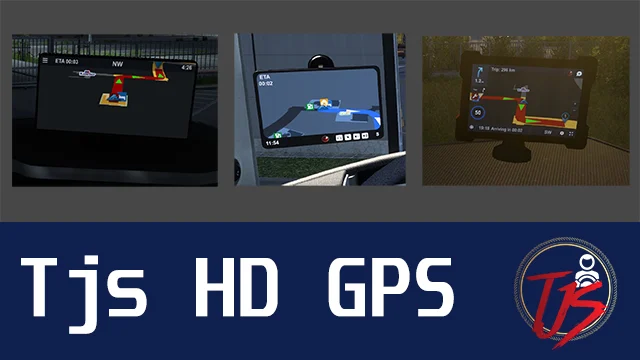
More screenshots on Steam Workshop ↗
What this mod does
Tjs HD GPS Mod is one of the most subscribed cab accessories on Steam Workshop: it has more than 181,000 subscribers. It adds GPS units with a high-definition screen that you can place in different spots in the cab.
What it adds
- Hanging GPS units, recommended for ultrawide monitors.
- Variants in the windshield corners and on the windshield itself.
- Versions on the dashboard and next to the A/C controls.
- Driver-side and windshield options so you can find a position that doesn’t block your view of the road.
Compatible trucks
DAF, Iveco, MAN, Mercedes-Benz, Renault, Scania, Volvo and SCS’s less common trucks (Freightliner Cascadia, International, Pizzster, Sisu, Ural), with several models per brand. It works on the base map and is compatible with ProMods. The file is about 140 MB and the author also has a version for American Truck Simulator.
How to fit it
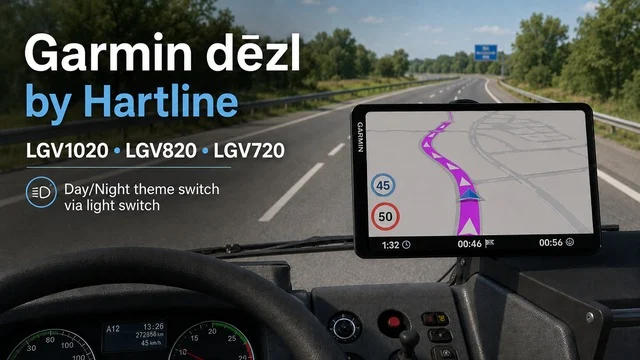
It’s installed as a tuning part: in the workshop you pick the GPS and its position. If you’d rather have a real-brand navigator, there’s also the Garmin dēzl by Hartline; and to expand what the screen shows, ETA and rest on GPS.
Holyfix Check
Will it work with your mods?
Load your game.log.txt and check whether this mod is for your ETS2 version, whether you're missing a mod or DLC it needs and where to place it.
It's in Documents › Euro Truck Simulator 2 › game.log.txt. It's read in your browser: the file is never uploaded.
Something else failing? Holyfix for ETS2 checks all your mods at once.
User rating
Highlights and things to keep in mind
- A much sharper GPS screen
- Lots of positions for each truck
- More than 181,000 subscribers on Steam
- Some variants may show text instead of the map due to a game bug
- Only for the SCS trucks on the author's list
Requirements
- Euro Truck Simulator 2 1.61
- A compatible SCS truck
How to install it
- Open the mod's page on Steam Workshop and click Subscribe.
- In the ETS2 Mod Manager, enable it above any map mods, as the author asks.
- Go to the workshop and open the cab accessories section.
- Pick the HD GPS and the position variant you prefer.
- If you see only text instead of the map, switch to another position variant.
Common problems
Why does the GPS show text instead of the map?
The author blames a bug in the game itself; switching to another position variant usually fixes it.
Does it work with ProMods?
Yes, the author states full compatibility with ProMods.
Where do I put it in the Mod Manager?
Above any map mods.
More mods for ETS2
 ✓ ETS2 1.61
  Requires DLC
  ✓ ETS2 1.61
  ✓ ETS2 1.61
  ETS2 1.57
  ETS2 1.58Multiplayer