Blocchio for Hytale
Shows on screen which block or creature you're looking at, with its icon, plus a developer mode with coordinates and rotation. Version 0.5.4 for Hytale 0.6, no dependencies.
Download Blocchio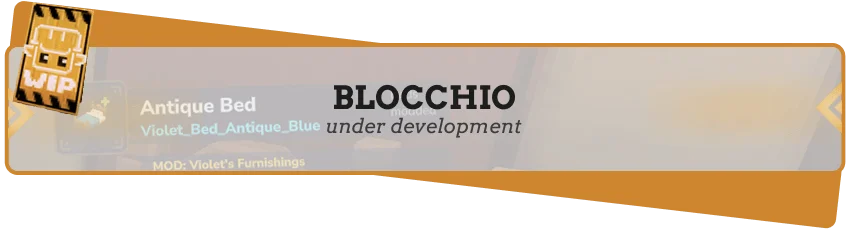
More screenshots on CurseForge ↗
What this mod does
Blocchio is an info overlay for Hytale: when you look at a block or a creature, a small on-screen panel tells you what it is. It’s handy for identifying rare materials, knowing which enemy is in front of you or learning the names of everything you see while exploring.
What it does
- A panel with the name of what you’re looking at, whether it’s a block or a mob.
- Creature icons generated from the game’s Memories portraits.
- Developer mode (/blocchio dev): block position, numeric ID, rotation index and degrees, and camera orientation. Designed for mod and map creators; it’s remembered per player.
Commands
/blocchio turns the panel on or off instantly, /blocchio config opens the settings and /blocchio help shows the help. The commands use permissions, so on a server you can decide who gets to use them.
Version
0.5.4 (September 1, 2026) fixes startup on 0.6 servers and supports the whole 0.6.x series (tested on 0.6.1, 0.6.2 and 0.6.3). It also no longer needs MultipleHUD: it uses the game’s own UI manager with the same look as before.
This page has been reviewed for Hytale 0.7 (Update 7). With Update 7 (0.7), released on October 12, 2026, the author has already published a file for the new version: 0.5.6, from October 16, 2026.
User rating
Highlights and things to keep in mind
- Identify any block or creature at a glance
- Lightweight and dependency-free
- Developer mode that's handy for builders
- The mod's CurseForge description relies almost entirely on images, with no detailed list of options
- Its latest update is from early September
- With Update 7 (released October 12, 2026), you'll need to wait for a compatible version and update the mod
Requirements
- Hytale (Early Access) on PC, version 0.6 (file Blocchio-0.5.6.jar)
- Hytale server 0.7.0 or later
- No dependencies: since 0.5.4 it no longer needs MultipleHUD
How to install it
- Open the Blocchio page on CurseForge and click Install to install it with the CurseForge app, or download Blocchio-0.5.6.jar from the Files tab (the file marked 0.6).
- If you download it manually, copy the file as is, without unzipping it, into the mods folder: on Windows, %APPDATA%\Hytale\UserData\Mods.
- If you're coming from an older version, replace the old .jar with the new one; you don't need to touch the config.
- Open Hytale, right-click the world, check Blocchio in the mod list and save the world settings.
- On a dedicated server, place the file in the server's mods folder and restart it.
- In your game, look at a block or a creature to see the panel; type /blocchio to hide or show it.
Version history
-
0.5.616 Oct 2026Current
File for Hytale 0.7 (Update 7)
-
0.5.41 Sep 2026
Works across the whole 0.6.x series, adapted to the new server API and no longer requires MultipleHUD
-
0.5.315 Aug 2026
Support for Hytale 0.5.9 and fix for mob icons
-
0.5.09 Apr 2026
Toggle with /blocchio, developer mode and creature icons
Common problems
Does it still need MultipleHUD?
No. Since 0.5.4 the panel works with the game's own UI manager.
It won't start on my 0.6 server, what do I do?
Older versions pinned an exact server version. Use 0.5.4, which supports the whole 0.6.x series.
What is developer mode for?
It shows the block's coordinates, ID and rotation. It's useful if you build maps or make mods; turn it on with /blocchio dev.
More mods for Hytale
 Multiplayer
  Multiplayer

 Multiplayer