Grab From Far for Hytale
Increases the range in which crafting benches find materials in your chests: by default 16 blocks horizontally, 8 vertically and up to 200 chests.
Download Grab From Far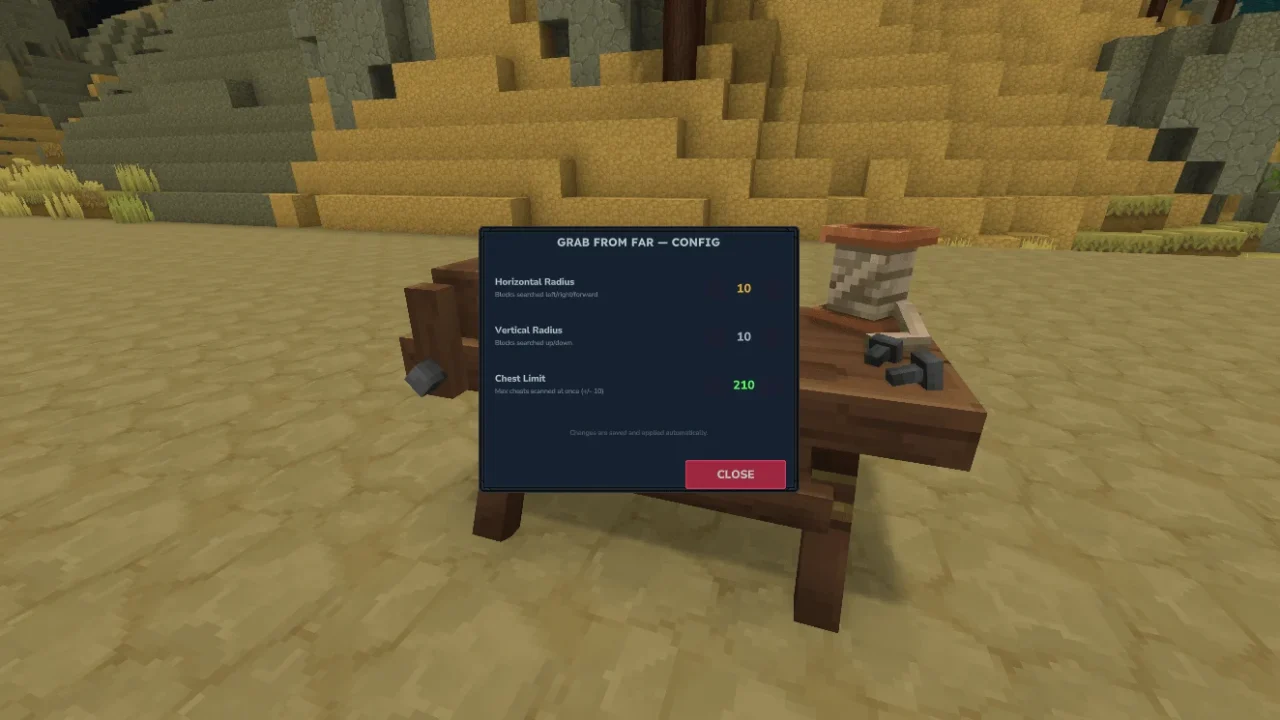
More screenshots on CurseForge ↗
What this mod does
Grab From Far fixes a Hytale limitation you notice as soon as your base grows: when crafting, benches only use materials from chests that are very close by. With this mod the station detects chests much farther away, so you can keep an entire storage room elsewhere and still craft without fetching the materials.
Default values
- Horizontal radius: 16 blocks.
- Vertical radius: 8 blocks.
- Maximum number of chests checked at once: 200.
Commands
/gff infoshows the current configuration./gff set horizontal,/gff set verticaland/gff set limitchange each value./gff reloadreloads the config file./gff uiopens a window to adjust it in game.
Changes apply instantly, without restarting the server. By default only operators can use these commands (the requireOp option).
Who it’s for
For players with big bases and for servers where people keep their storage far from the benches. It’s a very lightweight file and doesn’t need other mods. Version 1.5.1 is released for Hytale 0.6.
Checked on October 20, 2026: the author hasn’t yet released a file tagged for Hytale 0.7 (Update 7) on CurseForge. We’ll check again and update this page as soon as it’s out.
User rating
Highlights and things to keep in mind
- Craft from your whole storage without moving materials
- Radius and chest count configurable live
- Very lightweight with no dependencies
- A very high radius or chest limit can hurt performance in huge bases
- The config commands require operator permissions by default
Requirements
- Hytale (Early Access) on PC, version 0.6 for version 1.5.1 of the mod
- Enable the mod in the world settings or install it on the server
- Operator permissions to change the config with /gff
How to install it
- Open the Grab From Far page on CurseForge and click Install to install it with the CurseForge app, or download the .jar file from the Files tab.
- If you download it manually, copy the file into the mods folder: on Windows %APPDATA%\Hytale\UserData\Mods.
- Open Hytale, right-click the world where you want to use it, check Grab From Far in the mod list and click Save World Settings.
- On a dedicated server, put the file in the server's mods folder and restart it.
- If you want a different range, use /gff ui or /gff set horizontal as an operator.
Version history
-
1.5.14 Sep 2026Current
Recompiled for the new game update
-
1.5.017 Aug 2026
Updated for Hytale 0.6
Common problems
The bench still can't see my chest
Use /gff info to check that the chest is within the horizontal and vertical radius. If it's farther away, raise the value with /gff set.
It won't let me use /gff
By default the commands require operator status (requireOp enabled). On a server, ask the admin.
Do I need to restart after changing the config?
No. Changes apply live; if you edit the file by hand, use /gff reload.
More mods for Hytale
 Multiplayer
  Multiplayer