Miners Helmet for Hytale
Adds eight miner's helmets that light up your surroundings, seven with colored light based on the crystal used. Crafted at the Armorer's Workbench.
Download Miners Helmet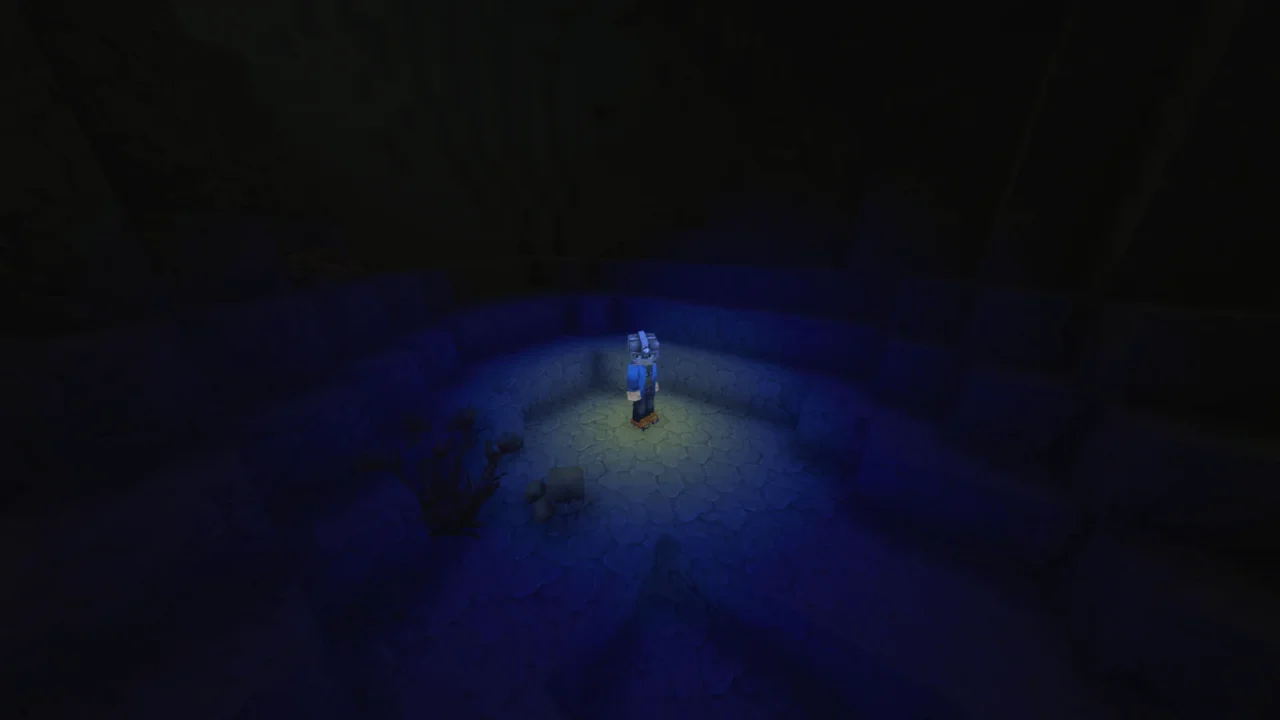
More screenshots on CurseForge ↗
What this mod does
Miners Helmet brings a classic idea to Hytale: a miner’s helmet that gives off light. With it on, your character carries a light source and you can explore caves without placing torches on every corner or tying up your hand holding one.
What it adds
- Eight helmets, each with a different colored light around the player.
- Seven of them require crystal shards and take the color of the crystals you find across Orbis: there are blue, cyan, green, red, white and yellow versions, among others.
- The eighth is the basic miner’s helmet.
- All of them are crafted at the Armorer’s Workbench.
An important detail
If you hide your armor in the appearance options, the light doesn’t show. The author explains that this can’t be fixed, so if you want the light, keep the helmet visible.
Who it’s for
For anyone who spends a lot of time underground, in mines or dungeons, and for anyone after an aesthetic touch: the colored light really changes the mood of caves. It goes well with other mining mods like Lucky Mining or Vein Mining. It’s by Jaredlll08, and version 1.0.6, from September 1, 2026, is the one adapted for 0.6.
Checked on October 20, 2026: the author hasn’t yet released a file on CurseForge tagged for Hytale 0.7 (Update 7). We’ll check again and update this page as soon as it’s out.
User rating
Highlights and things to keep in mind
- Permanent light without tying up your hands
- Eight color variants
- No dependencies and updated with every patch
- Doesn't work with hidden armor
- Takes up the helmet slot, so you give up the protection of another helmet
- The description doesn't give the quantities for each recipe
Requirements
- Hytale (Early Access) on PC, version 0.6 for version 1.0.6 of the mod
- Enable the mod in the world settings or install it on the server
- No other mods needed
How to install it
- Open the Miners Helmet page on CurseForge and click Install to install it with the CurseForge app, or download the file Miners-Helmet-1.0.6.zip for version 0.6 from the Files tab.
- If you download it manually, copy the file as is (without unzipping it) into the mods folder: on Windows %APPDATA%\Hytale\UserData\Mods.
- Open Hytale, right-click the world where you want to use it, tick Miners Helmet in the mod list and save the world settings.
- On a dedicated server, place the file in the server's mods folder and restart it.
- In game, craft the helmet at the Armorer's Workbench (the colored versions require crystal shards) and wear it with your armor visible.
Version history
-
1.0.61 Sep 2026Current
Adapted for Hytale 0.6
-
1.0.527 May 2026
Version for Hytale 0.5
Common problems
I'm wearing the helmet but it gives no light
Make sure your armor isn't hidden. The author says the light doesn't show if armor is hidden.
Where is it crafted?
At the Armorer's Workbench. Seven of the eight helmets require crystal shards.
Does it need any library?
No. The CurseForge relations tab lists no dependencies.
More mods for Hytale


 Multiplayer