Recover Arrows for Hytale
Lets you pick up arrows that missed every enemy and reuse them, just like in Minecraft. No config and no dependencies. Version 1.6.0 for Hytale 0.6.
Download Recover Arrows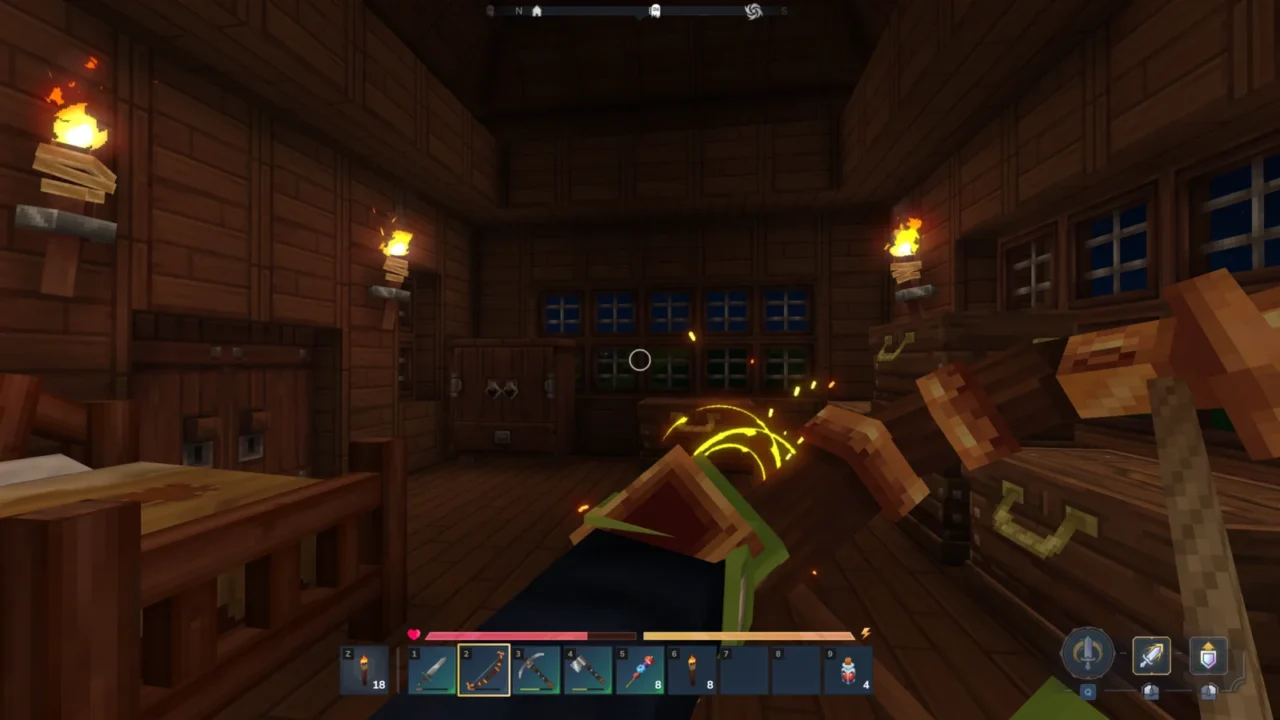
More screenshots on CurseForge ↗
What this mod does
In Hytale, arrows that miss are lost. Recover Arrows changes that: arrows that don’t hit any enemy stay on the ground and you can pick them up to reuse them as many times as you like.
How it works
- You recover arrows that didn’t hit any creature; the ones that hit are used up as usual.
- The author compares it to Minecraft: missed arrows are picked up off the ground and go back into your inventory.
- There are no recipes, new items or options: it’s a rule change you’ll notice from your very first shot.
Who it’s for
For anyone who plays with a bow and gets tired of crafting arrows nonstop, and for anyone who wants to practice their aim on targets or walls without spending resources. In the first few hours, when every arrow counts, the difference is noticeable.
The project is by Lupin, a well-known CurseForge creator, with Nighttie as co-author. Version 1.6.0, from September 1, 2026, is the one adapted for Update 6.
Update (October 20, 2026): the author has now released a file for Hytale 0.7 (Update 7): version 1.7.0, from October 13, 2026.
User rating
Highlights and things to keep in mind
- Saves lots of materials if you use a bow
- Ideal for practicing your aim
- Lightweight with no dependencies
- Arrows that hit an enemy aren't recovered
- Makes the bow cheaper to use, which shifts the balance a bit
- Very short description: it doesn't detail arrow types or options
Requirements
- Hytale (Early Access) on PC, version 0.6 for version 1.6.0 of the mod
- Enable the mod in the world settings or install it on the server
- No other mods needed
How to install it
- Open the Recover Arrows page on CurseForge and click Install to install it with the CurseForge app, or download the file Recover Arrows 1.6.0 for version 0.6 from the Files tab.
- If you download it manually, copy the file as is (without unzipping it) into the mods folder: on Windows %APPDATA%\Hytale\UserData\Mods.
- Open Hytale, right-click the world where you want to use it, tick Recover Arrows in the mod list and save the world settings.
- On a dedicated server, place the file in the server's mods folder and restart it.
- In game, shoot your bow and pick up the arrows that missed from the ground.
Version history
-
1.7.013 Oct 2026Current
File for Hytale 0.7 (Update 7)
-
1.6.01 Sep 2026
Updated for the new version (0.6)
-
1.5.09 Jun 2026
Compatibility with Hytale 0.5
-
1.4.06 Apr 2026
Compatibility with the game version at the time
Common problems
I can't pick up an arrow
Only arrows that didn't hit any creature can be recovered. The ones that hit are lost.
Does it have options or commands?
The description doesn't mention any.
Does it need any library?
No. The CurseForge relations tab lists no dependencies.
More mods for Hytale

 Multiplayer