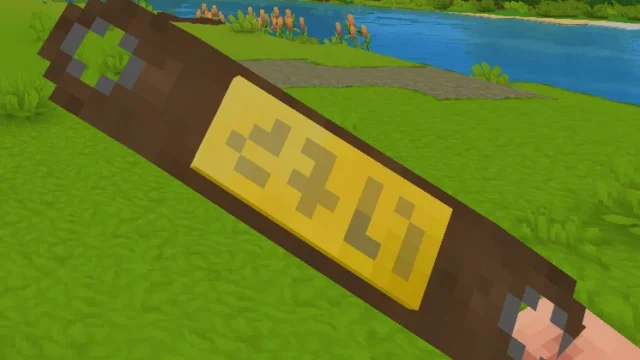
True Backpack for Hytale
Turns the backpack into an item you wear on your back, place on the ground and use to move items with chests. Adds a fiber bag, giant backpack, quiver, helmet lamp and helipack. Version 0.3.5 for 0.6.
Download True Backpack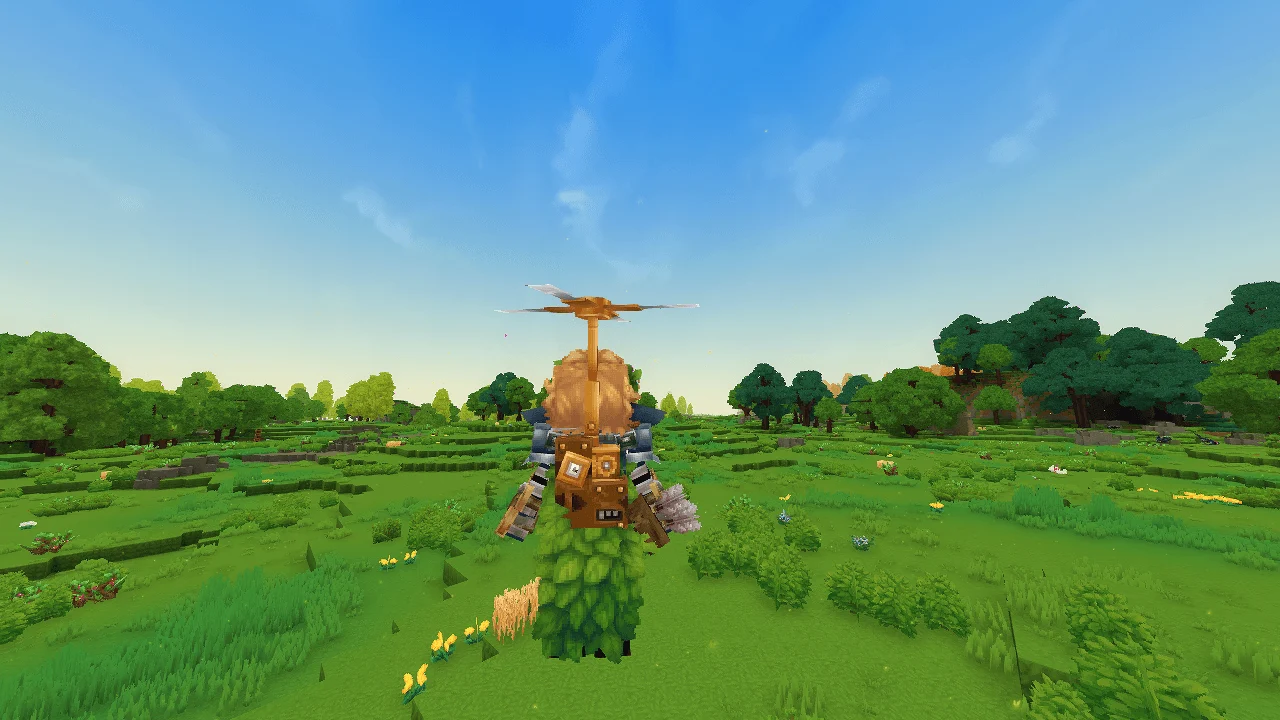
More screenshots on CurseForge ↗
What this mod does
True Backpack completely changes Hytale’s backpacks. Instead of expanding your inventory with upgrades, the backpack becomes a physical item: it goes in the first slot of your main inventory, shows on your character’s back and is managed from the game’s normal UI.
What it adds
- Fiber bag (3 slots) and giant backpack (36 slots).
- Placeable backpacks: with the secondary key you drop it on the ground as a container, with Use you open it and, if you break it, you get it back.
- Quick transfer: crouch while carrying the backpack and interact with a chest. Primary click empties the backpack into the chest, secondary click fills it with the chest’s contents and Use moves only the items you’re already carrying.
- Quiver visible when you carry arrows; hide it with
/togglecosmetic quiver. - Helmet lamp in the second slot, for mining and exploring.
- Helipack: double jump to fly, consuming 5 charcoal every 5 seconds.
Before you install it
The author warns that the changes are irreversible: it disables the game’s backpack unlock, removes the original unlock item and deletes existing upgrades, so you could lose whatever’s inside. Back up your world and empty your backpack first.
Version
0.3.5 (August 27, 2026) is the version for 0.6 and includes a Spanish translation, fixes hair when wearing a helmet and improves helipack flight. It’s for anyone who prefers a more physical inventory and makes lots of trips between chests.
Update (Oct 12, 2026): with Update 7 (0.7) now out, the author has already published a compatible file: version 0.3.6 (October 12, 2026). What’s described on this page was checked with the previous version; review the author’s changelog in case anything has changed.
User rating
Highlights and things to keep in mind
- Backpacks you can see, place and use as a container
- Quick transfer between backpack and chests without opening menus
- Includes a Spanish translation since 0.3.5
- Irreversible changes to the game's backpack: back up first
- The page doesn't detail each item's recipe
- Update 7 (0.7) already has a compatible file from the author (October 12, 2026)
Requirements
- Hytale (Early Access) on PC, version 0.7 (file TrueBackpack-0.3.6.jar)
- No dependencies: doesn't need any other mods
- A world backup and an empty backpack before installing it
How to install it
- Back up your world and empty the base game backpack: the mod deletes existing backpack upgrades.
- Open the True Backpack page on CurseForge and click Install to install it with the CurseForge app, or download TrueBackpack-0.3.6.jar from the Files tab.
- If you download it manually, copy the .jar as is into the mods folder: on Windows, %APPDATA%\Hytale\UserData\Mods.
- Open Hytale, right-click the world, check True Backpack in the mod list and save the world settings.
- On a dedicated server, place the .jar in the server's mods folder and restart it.
- In your game, put the backpack in the first slot of your main inventory or use it while holding it to equip it.
Version history
-
0.3.612 Oct 2026Current
File for Hytale 0.7 (Update 7)
-
0.3.527 Aug 2026
Version for 0.6: Spanish and other translations, hair fix with helmets and helipack improvements
-
0.3.423 Jul 2026
Fixes chest transfers and prevents placing backpacks in protected worlds or worlds with keep inventory
Common problems
I lost items from my backpack when installing it
That's the risk the author warns about: the mod removes the game's backpack unlock and upgrades. Restore your world backup, empty the backpack and install it again.
How do I hide the quiver?
Type /togglecosmetic quiver in chat.
The helipack won't take off
It needs charcoal in your inventory (it uses 5 every 5 seconds) and is activated with a double tap of jump. 0.3.5 improved that detection.
More mods for Hytale

 Multiplayer
  Multiplayer