Zip Line Plugin for Hytale
Craftable zip lines: two supports, a guide line and a tensor for speed; hop on anywhere and get off by crouching. Version 0.1.7 for Hytale 0.7.
Download Zip Line Plugin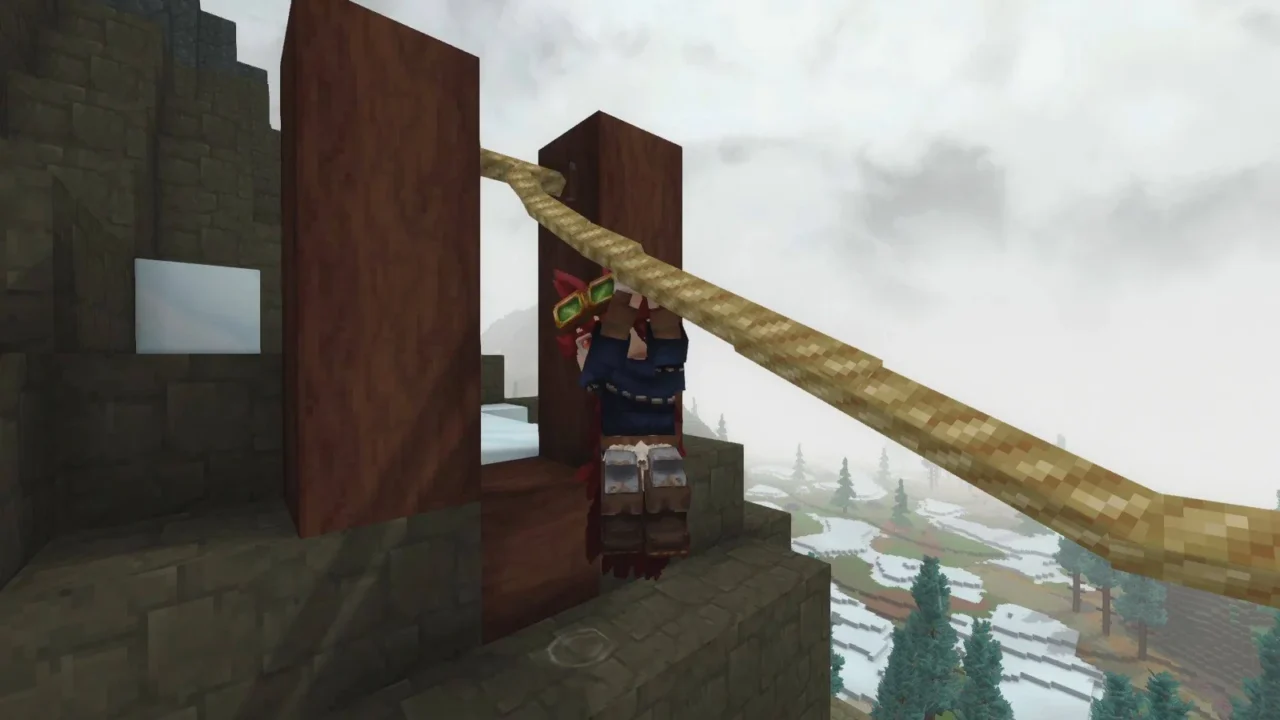
More screenshots on CurseForge ↗
What this mod does
Zip Line Plugin adds craftable zip lines to Hytale, designed for Adventure mode: you run a cable between two supports and slide down along it.
Parts
- Zip Line Support: you need two, facing each other.
- Guide Line: connects the supports and uses up fiber depending on the distance.
- Tensor: changes the zip line’s speed.
Everything is crafted on the Tinkering page of the Workbench. You can hop on at any point along the cable and get off by crouching.
Placement rules
Support A must be at least 10 blocks horizontally from B and at least 5 blocks higher, on the same axis and facing it; it doesn’t work diagonally. If the angle is too steep, the game won’t let you connect them, although plenty of slopes are accepted.
With Update 7
Version 0.1.7, from October 12, 2026, is the release for 0.7 («Update 7 friendly») and has no dependencies. According to the author, it no longer overwrites player.json or clashes with other plugins. It complements the Hookshot and the Scrap Glider from Update 7 nicely: the zip line is fixed and works well for routes you take often, such as getting down from a mountain to your base. If you want even more mobility, check out Zephyr.
User rating
Highlights and things to keep in mind
- A fresh, eye-catching way to get around the map
- Simple recipes
- No dependencies
- Strict placement rules
- Young project: it's the author's first mod
- All Rights Reserved license
Requirements
- Hytale (Early Access) on PC or server, version 0.7 (file ZipLinePlugin-0.1.7.jar)
- No dependencies: the Relations tab is empty
- Fiber for the guide line
How to install it
- Open the Zip Line Plugin page on CurseForge and click Install to set it up with the CurseForge app, or download ZipLinePlugin-0.1.7.jar from the Files tab (the file marked 0.7).
- If you download it manually, copy the file as is, without unzipping it, into the mods folder: on Windows, %APPDATA%\Hytale\UserData\Mods.
- Open Hytale, right-click the world, check Zip Line Plugin in the mod list and save the world settings.
- On a dedicated server, put the file in the server's mods folder and restart it.
- Craft two Zip Line Supports and a Guide Line on the Tinkering page of the Workbench; place the supports facing each other, the higher one at least 5 blocks above and 10 or more blocks away horizontally.
Version history
-
0.1.712 Oct 2026Current
Update 7 friendly
-
0.1.627 Aug 2026
Version for Hytale 0.6
Common problems
Why won't my supports connect?
They must be on the same axis, facing each other, 10 or more blocks apart horizontally and with a height difference of 5 or more; diagonally or on a steep slope they won't link up.
How do I get off?
By crouching.
Can I change the speed?
Yes, with the Tensor.
Does it clash with other mods?
The author says no, and that it no longer modifies player.json.
More mods for Hytale
 Multiplayer
 Multiplayer