Expanded Storage for Stardew Valley
Framework that lets content packs add new chests and storage, loaded with Content Patcher. You can remove it without losing items. Version 3.3.0.
Download Expanded Storage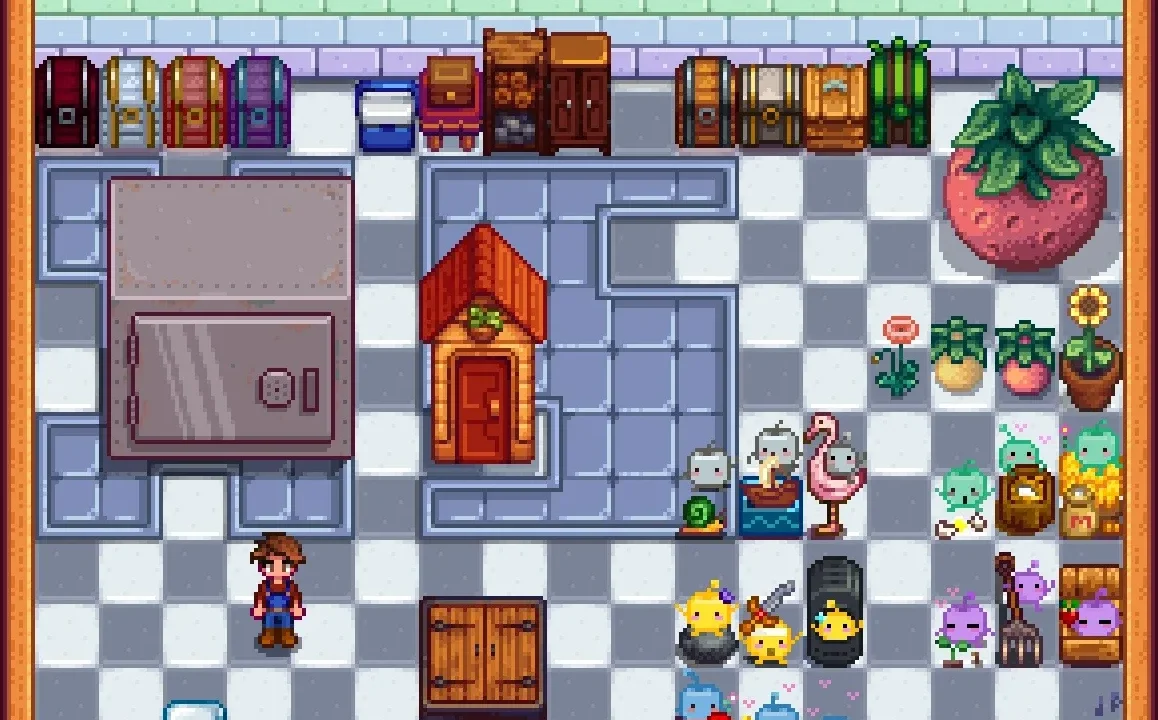
More screenshots on Nexus Mods ↗
What this mod does
Expanded Storage, by LeFauxMatt, is a framework that lets content packs add new chests and other storage to the game. The chests are loaded with Content Patcher and can be customized with Better Chests, by the same author. On its own it doesn’t add anything.
What it offers
- Chests and storage with their own look and behavior, defined by each pack.
- Integration with Better Chests to expand their options.
- You can add or remove it at any time: if you uninstall it, custom chests turn back into regular chests.
The author gives 6480’s Storage Variety as an example, a pack that uses almost all of its features.
Requirements and compatibility
It needs SMAPI, and the packs that use it are made with Content Patcher. Version 3.3.0 (January 21, 2025, 94 KB) is the current version and is marked compatible with 1.6. The author says it should work with other mods. The page doesn’t mention multiplayer or Android.
It’s translated into Spanish (Soraien is listed in the credits), and there’s also a separate translation by Gonzy42 on Nexus. The code is on GitHub, and the author shares announcements and beta versions on his Discord.
User rating
Highlights and things to keep in mind
- Can be removed with no risk to stored items
- Spanish translation
- Compatible with Better Chests
- It does nothing without content packs
- The page doesn't clarify multiplayer or Android
- No updates since January 2025
Requirements
- Stardew Valley 1.6.x (PC)
- SMAPI 4.x
- Content Patcher
- Chest content packs that use it
How to install it
- Install SMAPI and Content Patcher first (see their mod pages) and launch the game once with SMAPI to make sure everything loads.
- Open the Expanded Storage page on Nexus Mods, go to the Files tab and click Manual download on the main file (Expanded Storage 3.3.0). You need a free Nexus account to download.
- Unzip the .zip outside the game folder and move the resulting folder into the Mods folder, inside the game folder.
- Install the chest packs that use it (for example, 6480's Storage Variety) and launch the game with SMAPI.
Version history
-
3.3.021 Jan 2025Current
Current file
-
3.2.21 Jan 2025
Previous version (Old files)
Common problems
Do I lose my stored items if I uninstall it?
According to the author, no: custom chests turn back into regular chests.
Do I need Better Chests?
It's not required; it lets you customize the chests further.
Is it available in Spanish?
Yes: the page credits Soraien for the Spanish translation, and there's another one by Gonzy42 on Nexus.
More mods for Stardew Valley
 ✓ Stardew Valley 1.6
  ✓ Stardew Valley 1.6Multiplayer
  ✓ Stardew Valley 1.6Multiplayer
  ✓ Stardew Valley 1.6
  ✓ Stardew Valley 1.6
  ✓ Stardew Valley 1.6