ACTV for Assetto Corsa
Broadcast-style overlay suite for races and replays: timing tower, speedtrap, driver info, timer and delta, with custom color themes. Free.
Download ACTV
More screenshots on OverTake.gg (formerly RaceDepartment) ↗
What this mod does
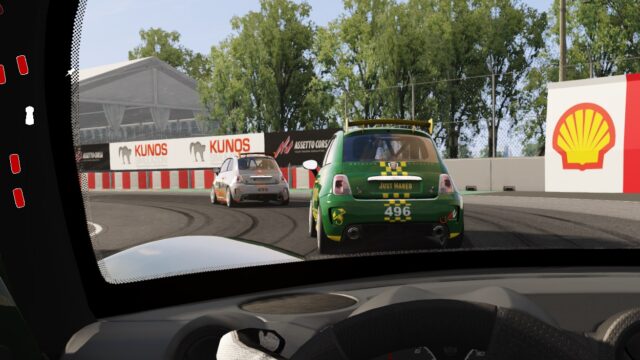
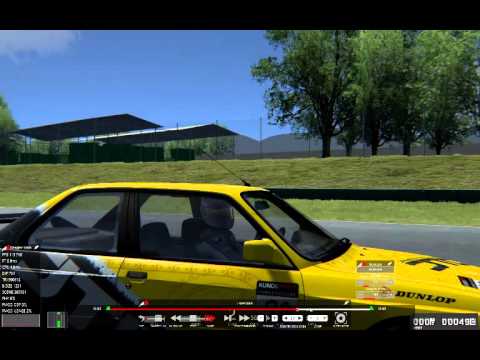
ACTV is a set of overlays for Assetto Corsa by prunn that gives your races and replays a TV broadcast look. It’s been out since 2015, has over 100 ratings with a 4.61 average, and its source code is available on GitHub.
Widgets
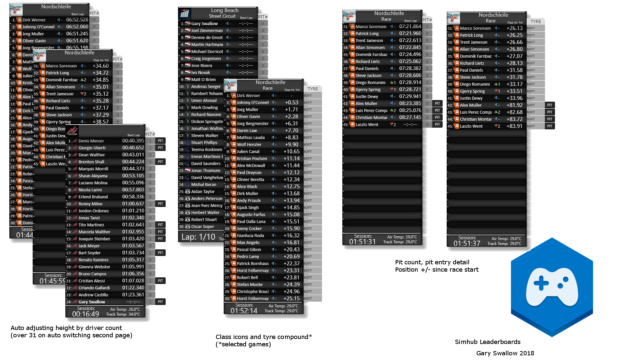
- Timing tower: standings with several modes you switch with Ctrl+D; since 2.5.0 it includes relative times, configurable car classes and pit stop, tire and sector modes.
- Speedtrap: top speed readings.
- Driver info: current lap in practice and qualifying, and fastest lap in the race.
- Timer with session info and the pit window.
- Delta with persistent times; invalidated laps show in reddish orange and aren’t saved.
- Configuration in two tabs to customize each widget.
Themes
Since version 2.0.0 it includes a theme engine for creating your own color schemes with .ini files, and since 2.1.0 it supports background textures in jpg, png or tga.
Things to keep in mind
It needs Assetto Corsa 1.13.0 or later. The speedtrap doesn’t work online for other cars because the game shares incorrect data, and the author acknowledges inconsistencies in the game’s data that he has had to work around.
User rating
Mod video
Highlights and things to keep in mind
- Broadcast look for races and videos
- Customizable color themes
- Open source on GitHub
- The speedtrap doesn't work online for other cars
- No updates since 2020
- There are nightly builds on GitHub, but the stable one is on OverTake
Requirements
- Assetto Corsa 1.13.0 or later for PC
- Python apps enabled in the game or in Content Manager
- Free OverTake.gg account to download
How to install it
- Go to the ACTV page on OverTake.gg and log in.
- Download the file (about 1.3 MB).
- Copy its contents into your main Assetto Corsa folder.
- Enable the ACTV modules in the apps settings in the game or in Content Manager.
- On track, add the tower, timer, delta and the other widgets from the sidebar.
- Press Ctrl+D to change the tower mode and use the configuration window to pick a theme.
Version history
-
2.5.08 Nov 2020Current
Relative times, configurable classes and pit stop, tire and sector modes in the tower
-
2.1.019 May 2018
Background textures in themes, seven new colors and smaller fonts
-
2.0.02 Jan 2018
Theme engine and pit window timer
Common problems
How do I change what the tower shows?
Ctrl+D cycles through its modes, including relative times.
The speedtrap doesn't show online rivals
It's a game limitation: it shares incorrect data for other cars online.
Can I make my own colors?
Yes, with the theme engine using .ini files and background textures.
More mods for Assetto Corsa
 Multiplayer
  Multiplayer