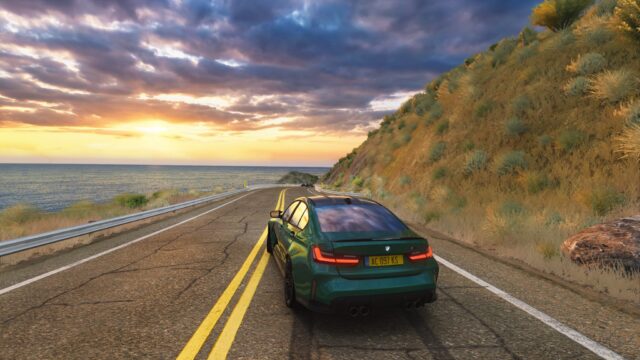
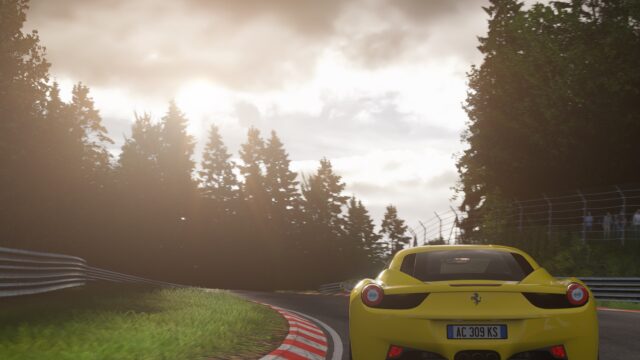
Inmersive Filter: photorealistic filter with Sol and ReShade for Assetto Corsa
Photorealistic filter by Argentine modder el_mattpro that aims for a look similar to Assetto Corsa Competizione, with or without ReShade. Free; made for Sol.
Download Inmersive Filter: photorealistic filter with Sol and ReShade
More screenshots on OverTake.gg (formerly RaceDepartment) ↗
What this mod does
Inmersive Filter is a post-processing filter by Argentine modder el_mattpro that tries to give Assetto Corsa a photorealistic look similar to Assetto Corsa Competizione. Released in 2018, it has over 130,000 downloads on OverTake with a rating of 4.6 out of 5 from over 140 reviews.
What’s included
- Inmersive_Natural filter for use with ReShade.
- Inmersive_natural_NoReshade variant, which works with the in-game filter alone (added in v12).
- inmersive.ini ReShade preset, based on prod80’s shader pack and effects by MartyMcFly.
- Instructions with screenshots inside the .rar.
Requirements
The mod page asks for Custom Shaders Patch 1.46 or later and Sol 1.5.1 or 1.6 alpha1. ReShade is optional and is downloaded from its official website.
Tips
With ReShade, press Home in game and load the inmersive.ini preset. If the game crashes on Windows 10, rename dxgi.dll to d3d11.dll. The depth of field effects are meant for screenshots, so you can turn them off while driving. According to the author, ReShade without ray tracing costs between 3 and 5 fps. To uninstall it, delete dxgi.dll, reshade.ini and the reshade-shaders folder. Keep in mind it hasn’t been updated since 2020 and was made for old Sol versions that predate Pure.
User rating
Mod video
Highlights and things to keep in mind
- Variants with and without ReShade
- Detailed instructions with screenshots
- Highly rated: 4.6 out of 5 from over 140 reviews
- No updates since 2020
- Made for old Sol versions
- ReShade costs performance
Requirements
- Assetto Corsa for PC
- Custom Shaders Patch 1.46 or later
- Sol 1.5.1 or 1.6 alpha1 (2020 versions)
- ReShade optional
- Free OverTake.gg account to download
How to install it
- Install Custom Shaders Patch and Sol.
- Go to the mod page on OverTake.gg, log in and download the .rar (about 9 MB).
- Follow the screenshot instructions in the download and copy the files into your Assetto Corsa folder.
- In the post-processing settings, choose Inmersive_Natural (with ReShade) or Inmersive_natural_NoReshade.
- If you use ReShade, press Home in game and load the inmersive.ini preset.
Version history
-
v131 Aug 2020Current
Latest published version
-
v12Undated
Added a variant without ReShade that uses only the post-processing filter
Common problems
The game crashes after installing ReShade
On Windows 10, rename dxgi.dll to d3d11.dll.
ReShade effects don't show up in screenshots
Disable FXAA in the video settings.
Do I need ReShade?
No. Since v12 there's a variant that uses only the in-game filter.
More mods for Assetto Corsa