Glass Bounds Corrections & Fixes for American Truck Simulator
Fixes the glass areas where raindrops land on every ATS truck and car: 89 hand-redrawn masks and 55+ reviewed configs. Free; ATS 1.58 to 1.61.
Download Glass Bounds Corrections & Fixes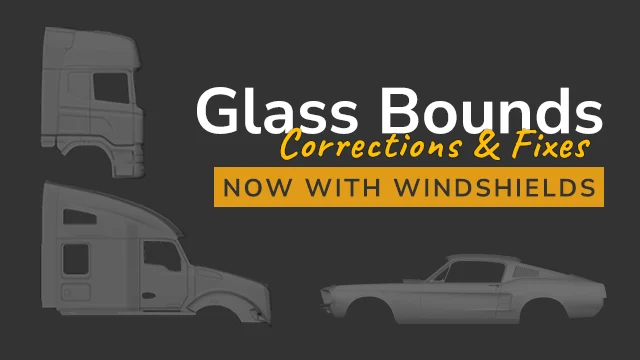
More screenshots on Steam Workshop ↗
What this mod does
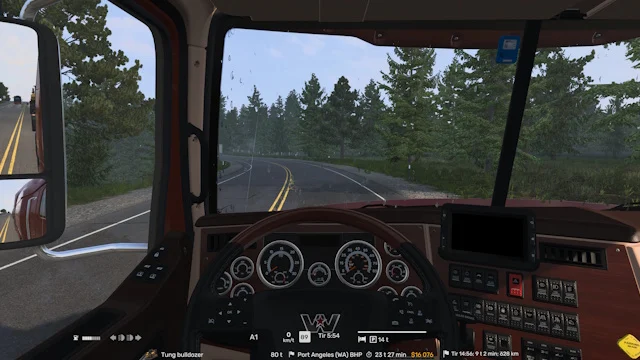
Glass Bounds Corrections & Fixes, by Denis, fixes a game bug you notice when it rains: the drops don’t cover the whole glass, leaving dry strips on windshields and windows. The mod corrects those bounds on every truck and car in ATS so the rain covers the full surface.
What it does
- Redraws by hand, with a graphics tablet, all 89 of the game’s window masks.
- Creates new masks for most trucks, including 27 that had none.
- Reviews more than 55 glass configurations for trucks and cars.
- Fixes missing raindrops on some trucks.
It doesn’t change the rain, raindrop textures, weather or sounds.
Compatibility and load order
It works with all mods. If you use Yet Another Rain Mod (YARM), by the same author, you don’t need it: it already includes these fixes. With other rain mods you may see small glitches at the edges of the glass. Place it above rain and snow mods and graphics, weather and lighting mods.
Version
It works on ATS 1.58, 1.59, 1.60 and 1.61; 1.57 hasn’t been tested. The changes in version 1.4 only apply to 1.59 or later. Road Trip vehicles haven’t been reviewed, because the author doesn’t own that DLC. There’s an ETS2 version.
Holyfix Check
Will it work with your mods?
Load your game.log.txt and check whether this mod is for your ATS version, whether you're missing a mod or DLC it needs and where to place it.
It's in Documents › American Truck Simulator › game.log.txt. It's read in your browser: the file is never uploaded.
Something else failing? Holyfix for ATS checks all your mods at once.
User rating
Highlights and things to keep in mind
- Fixes a visible rain bug
- Handmade work on 89 masks
- Compatible from 1.58 to 1.61
- Unnecessary if you use YARM
- Possible edge glitches with other rain mods
- Road Trip vehicles not reviewed
Requirements
- American Truck Simulator 1.58 to 1.61 (according to the author)
- Steam account
- No DLC required
How to install it
- Open the “Glass Bounds Corrections & Fixes” page on Steam Workshop and click “Subscribe”.
- Launch American Truck Simulator and wait for Steam to finish downloading the mod.
- In your profile's Mod Manager, enable “Glass Bounds Corrections & Fixes”.
- Place it above rain/snow mods and graphics, weather and lighting mods.
- If you use YARM by the same author, don't enable it: YARM already includes these fixes.
Version history
-
1.42 Oct 2026Current
Last update; 1.4 changes only for ATS 1.59 or later (8 changelog notes)
-
20 Jun 2026
Release
Common problems
Do I need it if I use YARM?
No, YARM already includes these fixes according to the author.
Does it change how the rain looks?
No: it only fixes which part of the glass gets wet.
Does it work with other rain mods?
Yes, although there may be small glitches at the edges of the glass.
Does it cover Road Trip vehicles?
The author doesn't own that DLC and hasn't checked.
More mods for ATS
 ✓ ATS 1.61
  ✓ ATS 1.61
  ✓ ATS 1.61
  ✓ ATS 1.61
  ✓ ATS 1.61
  ✓ ATS 1.61