Volvo VNL 2025 – Orange DRL (orange daytime running lights) for American Truck Simulator
Turns the daytime running lights on the SCS Volvo VNL 2025 from white to orange. One very light file; tested on 1.59 and confirmed working on 1.60.
Download Volvo VNL 2025 – Orange DRL (orange daytime running lights)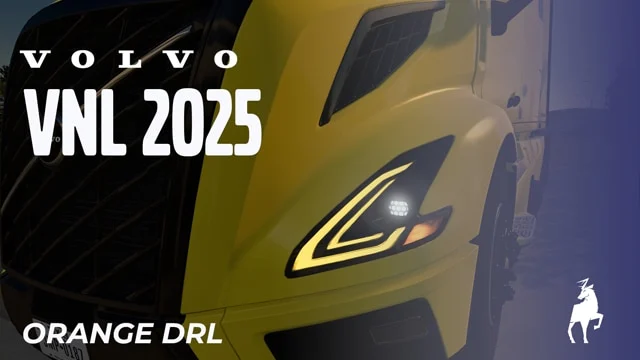
More screenshots on Steam Workshop ↗
What this mod does
Orange DRL is a tweak by Graf Boinenn for the SCS Volvo VNL 2025: the headlight daytime running lights (DRL) switch from white to orange, a look many truckers in North America go for.
What changes
- It only edits the truck’s light configuration file; according to the author, the file’s structure doesn’t change.
- It doesn’t add new parts to the service shop: the change is applied directly.
- It doesn’t work with the VNL 2018, because its lights are configured differently; the author hopes to add it later.
Version
The author tested it on 1.59 with a fresh profile and no other mods, and confirmed it still works on 1.60, because SCS didn’t change that file. There’s no explicit confirmation for 1.61.
Known issues
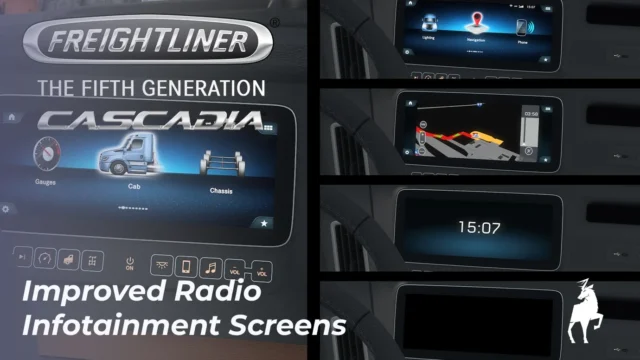
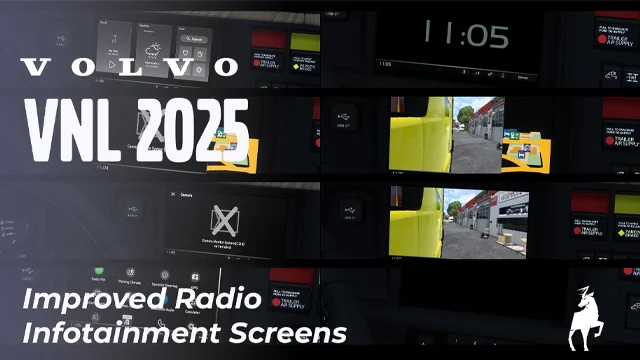
Some users said it didn’t work for them. The author puts it down to other mods that touch the same file and recommends giving it high priority in the Mod Manager. It’s part of his “Orange DRLs!” collection. If you’re looking for more upgrades for this truck, also check out his improved radio screens or Sherman’s VNL 2025 Add-ons.
Holyfix Check
Will it work with your mods?
Load your game.log.txt and check whether this mod is for your ATS version, whether you're missing a mod or DLC it needs and where to place it.
It's in Documents › American Truck Simulator › game.log.txt. It's read in your browser: the file is never uploaded.
Something else failing? Holyfix for ATS checks all your mods at once.
User rating
Highlights and things to keep in mind
- Simple, very lightweight change
- Tested on a clean profile
- Classic North American truck look
- Only for the VNL 2025
- No explicit confirmation for 1.61
- Can be overridden by other lighting mods
Requirements
- American Truck Simulator 1.59 or 1.60 (tested by the author)
- SCS Volvo VNL 2025
- No DLC
How to install it
- Open the “SCS's Volvo VNL 2025 - Orange DRL” page on Steam Workshop and click “Subscribe”.
- Launch American Truck Simulator and wait for Steam to finish downloading the mod.
- Open your profile's Mod Manager and enable “SCS's Volvo VNL 2025 - Orange DRL”.
- Give it high priority (near the top of the list) if you use other lighting or VNL 2025 mods.
Version history
-
13 May 2026Current
First release (1 note in the changelog)
Common problems
Does it work with the VNL 2018?
No. Its lights are configured differently; the author wants to add it later.
Do I have to buy anything at the service shop?
No. The change is applied directly to the VNL 2025's daytime running lights.
I don't see the orange lights. What do I do?
Raise the mod's priority in the Mod Manager; another mod may be editing the same file.
More mods for ATS
 ATS 1.60Requires DLC
  ✓ ATS 1.61
  ✓ ATS 1.61
  ✓ ATS 1.61
  ✓ ATS 1.61
  ✓ ATS 1.61