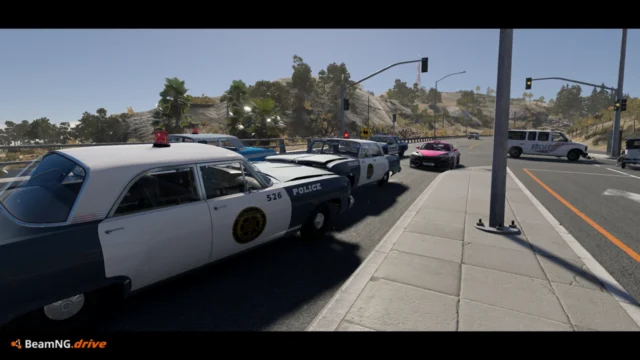
Road Grip Editor (angelo234): change asphalt, dirt or mud grip in real time in BeamNG.drive for BeamNG.drive
UI app for BeamNG.drive that changes friction and other parameters of any map surface in real time: ice, F1 grip or easy rollovers without editing files. Over 349,000 downloads; 420 KB; 2026 reviews confirm it works.
Download Road Grip Editor (angelo234): change asphalt, dirt or mud grip in real time in BeamNG.drive
More screenshots on Official BeamNG Repository (beamng.com/resources) ↗
What this mod does
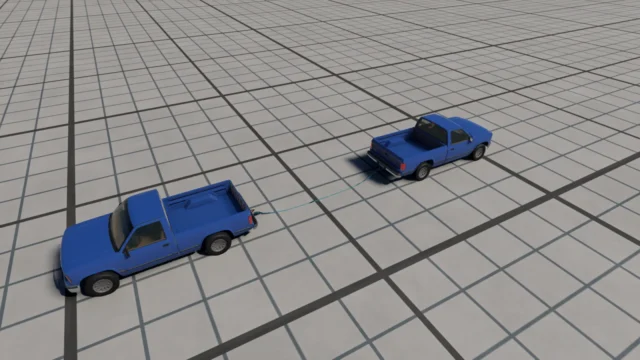
Road Grip Editor, by angelo234, is a UI app for BeamNG.drive that lets you change the grip of map surfaces in real time, without editing files. You can turn any road into ice, give it Formula 1 grip or negative friction; reviewers use it to set up rollovers and crashes. It has passed 349,000 downloads and holds a 4.9 out of 5 rating from 54 reviews.
How it works
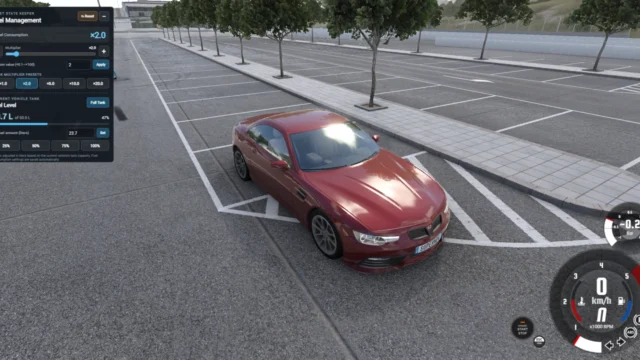
- Pick a surface from the drop-down («All Surfaces» by default) or click «Get Surface» to select the one your vehicle is on.
- Edit static and sliding friction, Stribeck velocity, hydrodynamic friction, roughness, fluid density, depth and skid marks, each with a tooltip and its range.
- «Apply Changes» applies the values; «Reset to Default» and «Reset All to Default» bring them back to normal.
Version and warnings
The latest version is 1.31 from December 8, 2022, which refreshed the UI. The author states no BeamNG.drive version, but two reviews from February 2026 say it still works and he was still replying in November 2025. Changes are lost when you leave the map and some surfaces drag similar ones along («Asphalt» also changes concrete). If it stops responding, press Ctrl+L to restart Lua. To tweak vehicle weight or strength, see Vehicle Global Values Edit; to repair parts one by one, Individual Part Repair Menu. If something breaks, check why BeamNG mods don’t work.
User rating
Highlights and things to keep in mind
- Over 349,000 downloads and 4.9 out of 5 from 54 ratings
- Ice, mud or Formula 1 grip on any map, in real time and without editing files
- A button to select the surface under the car and one-click reset
- 2026 reviews confirm it still works; only 420 KB
- The author states no BeamNG version; not updated since December 8, 2022
- Changes are lost when you leave the map
- Some surfaces drag similar ones along ("Asphalt" also changes concrete) and names can be misleading: expect some trial and error
- A 2026 review says the parameter help sometimes covers the menu on load; a 2024 one says cars snag when scraping with "Asphalt" selected
- If it stops responding, the author recommends Ctrl+L to restart Lua
Requirements
- BeamNG.drive
- Less than 1 MB of free space
How to install it
- Open the Road Grip Editor page on the official BeamNG repository.
- Download it with the Download button or subscribe from the in-game repository.
- If you download it manually, leave the .zip unextracted in the mods folder of your user folder.
- Start BeamNG.drive, load a map and add the Road Grip Editor app to your UI from the app editor (the author does not detail the menu).
- Pick a surface from the drop-down ("All Surfaces" by default) or click "Get Surface" to select the one your vehicle is on.
- Change the values (right-click the box to type, or use the arrows) and click "Apply Changes"; "Reset to Default" or "Reset All to Default" to go back to normal.
- If the app stops responding, press Ctrl+L to restart Lua and, if you were on a map, restart it.
Version history
-
1.318 Dec 2022Current
Updated UI
-
—5 Jul 2021
Fix for the 0.23 update
-
—18 Feb 2021
The app checks that all global Lua functions exist and alerts you if any is missing
-
—17 Feb 2021
Button to select the surface under the vehicle, UI that adapts to its size and shorter parameter names
-
—4 Dec 2020
Many more editable parameters, all surfaces at once, tooltips with suggested ranges and per-parameter limits
-
—27 Nov 2020
Fix for default values resetting with the UI
-
1.026 Nov 2020
Published on the BeamNG repository
Common problems
What exactly does it do?
It changes the grip of map surfaces (asphalt, dirt, grass, mud...) in real time without touching files: you can simulate ice, Formula 1 grip or even negative grip on any map.
Which parameters can I change?
Static and sliding friction, Stribeck velocity, hydrodynamic friction, roughness, fluid density, flow indexes, drag anisotropy, default depth and skid marks; each one has a tooltip on hover.
Which values does the author recommend?
For snow, 0.4 static and 0.35 sliding friction; for rollovers, high values (such as 5) on both.
Are the changes saved?
No: when you leave the map everything goes back to default.
Which BeamNG version is it for?
The author does not say. The latest version is 1.31 from December 8, 2022 and two reviews from February 2026 say it still works.
More mods for BeamNG