Late Autumn/Mild Winter for Euro Truck Simulator 2
Late autumn and snowless winter for ETS2: bare trees, short days, bundled-up pedestrians and better rain. Grimes' v6.7 for ETS2 1.61, works with ProMods.
Download Late Autumn/Mild Winter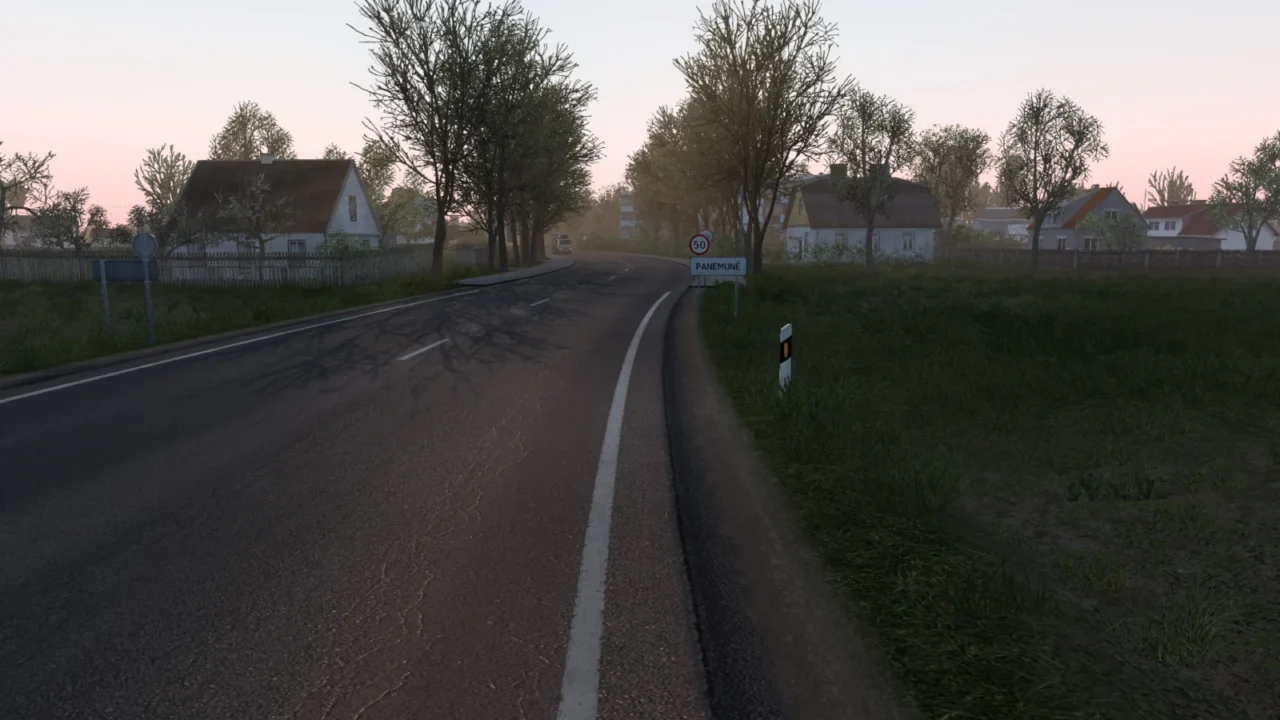
More screenshots on grimesmods.wordpress.com (author's website) ↗
What this mod does
Late Autumn/Mild Winter recreates that stretch of the year when the trees have already lost their leaves but it isn’t snowing yet. It’s by Grimes and sits halfway between his Early Autumn and the snowy winter of Frosty Winter. Version 6.7, from September 24, 2026, works on ETS2 1.61.
What it changes
- Leafless vegetation, short days, winter temperatures and pedestrians in warm clothes.
- More realistic lighting and darker nights.
- Improved rain, new road textures, reflections on wet asphalt and roads that take longer to dry.
- Denser grass visible from farther away, and low-resolution trees replaced with high-resolution models.
Compatibility
It works with ProMods, many other maps and all map DLCs, although the author doesn’t guarantee every combination and asks you to use up-to-date maps. You need to disable any other weather or graphics mods.
Known issues
Mirrors looking dark at night is intentional: Grimes explains that nights in this season are darker. In the comments on his website he also offers small fixes, like a file that removes the bump effect from the roads and goes above the mod. For older versions of the game he keeps 6.6 (1.60), 6.5 (1.59) and 6.4 (1.58).
Holyfix Check
Will it work with your mods?
Load your game.log.txt and check whether this mod is for your ETS2 version, whether you're missing a mod or DLC it needs and where to place it.
It's in Documents › Euro Truck Simulator 2 › game.log.txt. It's read in your browser: the file is never uploaded.
Something else failing? Holyfix for ETS2 checks all your mods at once.
User rating
Mod video
Highlights and things to keep in mind
- Wintry atmosphere without snow, rare among other mods
- Bundled-up pedestrians and short days
- Updated for 1.61, with versions for 1.58–1.60
- The final download is on ShareMods, which shows ads; only click the file's download button
- Very dark nights, on purpose
- Incompatible with other weather or graphics mods
Requirements
- Euro Truck Simulator 2 1.61 (older versions for 1.58, 1.59 and 1.60 are on the same page)
- Around 1.1 GB of free space
- No other weather or graphics mod active, and no other Grimes season
How to install it
- Open the Late Autumn/Mild Winter page on Grimes' website.
- Choose the free download (ShareMods) or the ad-free $1 one.
- Copy late_autumn-mild_winter_ets2_v6_7.scs to Documents/Euro Truck Simulator 2/mod.
- In the Mod Manager, put it at the very top and disable any other weather or graphics mods.
- Set vegetation and grass density to High and enable normal maps; if they were disabled, restart.
Version history
-
6.724 Sep 2026Current
Updated for 1.61, better weather, reworked bad weather, improved rain, roads that take longer to dry and reflections on wet asphalt and sidewalks
Common problems
Does it have snow?
No. It's a late autumn or mild winter; for snow there's Frosty Winter, by the same author.
Does it work with ProMods?
Yes, according to the author, as well as with many other maps and all map DLCs.
Why does everything look so dark at night?
It's intentional: Grimes explains that late autumn and winter nights are darker.
Can I use it together with Early Autumn or Frosty Winter?
No. Only activate one Grimes season at a time.
More mods for ETS2
 ✓ ETS2 1.61
  ✓ ETS2 1.61
  ✓ ETS2 1.61
  ETS2 1.60
  ✓ ETS2 1.61
  ✓ ETS2 1.61