AdminUI for Hytale
Plugin for Hytale server admins: manage the whitelist, bans, mutes, players, warps, backups and stats from windows instead of commands.
Download AdminUI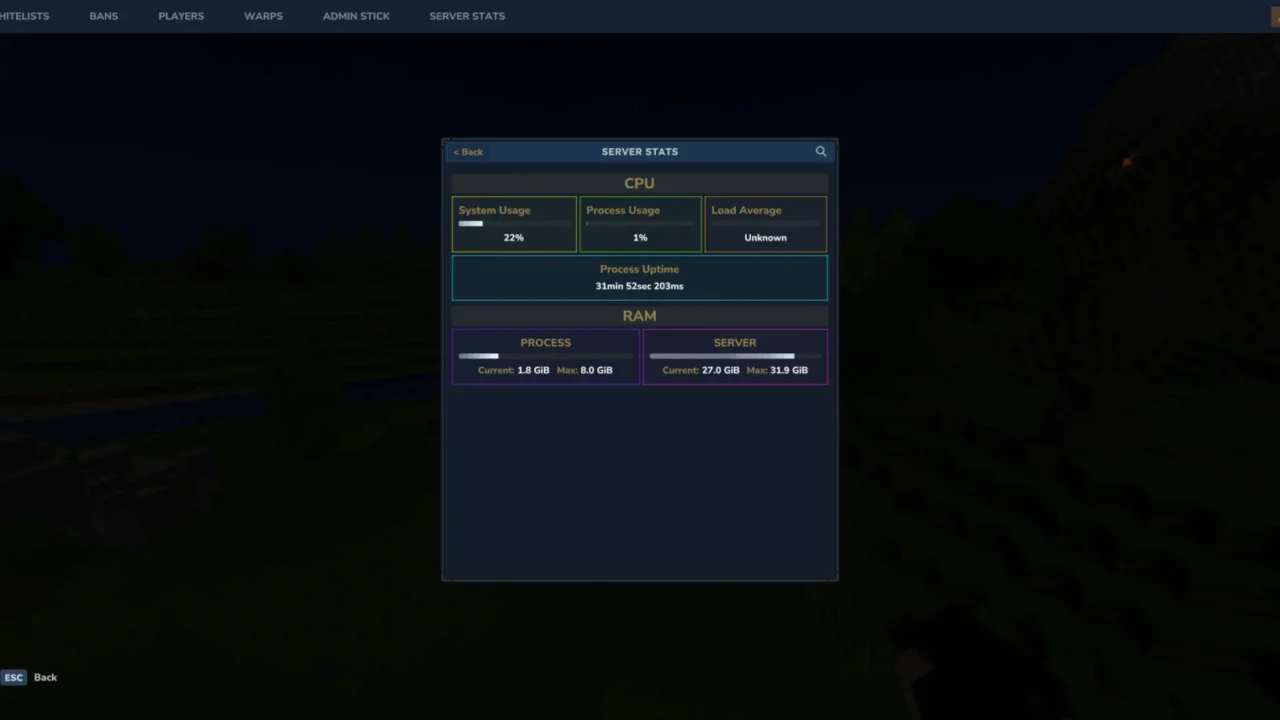
More screenshots on CurseForge ↗
What this mod does
AdminUI is a tool for anyone running a Hytale server. It replaces many moderation commands with windows full of buttons and lists, so managing players is faster and there’s less room for typos.
Panels included
- Whitelist: add and remove authorized players (
/admin wl). - Bans and mutes, the latter a system of the mod’s own (
/admin band/admin m). - Online player management (
/admin p). - Warps, the server’s teleport points (
/admin w). - Real-time server stats (
/admin st). - Backup management (
/admin bk).
/admin opens the index with all the panels.
Admin Stick
The mod adds an item, the Admin Stick, that works as a configurable shortcut: each admin decides which panel each action opens, without typing anything.
Permissions
Access is controlled with permissions: AdminUI.admin grants full access and each module has its own (for example AdminUI.ban or AdminUI.warp, with .open variants to only open the window). That way you can give moderators just what they need. It’s open source (MIT license) and version 1.0.8 is published for Hytale 0.6.
Update (Oct 12, 2026): with Update 7 (0.7) now out, the author has already marked their current file (version 1.0.8) as compatible with 0.7.
User rating
Highlights and things to keep in mind
- Moderating with windows is faster than with commands
- Per-module permissions to split up duties
- Open source and from a very active author
- It's designed for servers; in single player it makes little sense
- Double-check permissions before granting access to backups or bans
Requirements
- Hytale (Early Access), server or world on version 0.7 for version 1.0.8
- Admin or operator permissions to use the panels
How to install it
- Open the AdminUI page on CurseForge and download the .jar file from the Files tab, or click Install to use the CurseForge app.
- On a dedicated server, copy the .jar into the server's mods folder and restart it.
- To test it locally, copy it into %APPDATA%\Hytale\UserData\Mods (Windows), right-click the world, check it in the mod list and save the settings.
- Assign the AdminUI.admin permission or the per-module ones to your moderation team.
- Join the server and type /admin to open the panel index.
Common problems
I type /admin and nothing happens
You need the AdminUI.admin permission or the specific module's permission (with .open to open the window).
Can moderators use only part of it?
Yes, each module (bans, mutes, warps, backups...) has its own permission.
Do players need to install it?
No. In Hytale, mods run on the server and players receive the content when they connect.
More mods for Hytale

 Multiplayer
  Multiplayer
  Multiplayer