Loot4Everyone for Hytale
Per-player loot chests: each player gets their own loot from the same chest, even in already generated worlds, with anti-theft protection and auto-reset. Version 1.3.9 for Hytale 0.6.
Download Loot4Everyone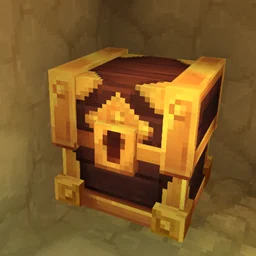
More screenshots on CurseForge ↗
What this mod does
Loot4Everyone is designed for group play: it makes every player find their own loot in the world’s chests. That way, whoever gets there first doesn’t take everything and the others still have something to open.
What it adds
- Per-player loot chests without modifying the block, compatible with already generated worlds.
- A sound and sparkling particles the first time you discover a chest.
- Protection so nobody can break loot chests.
- Different random loot for each player, if you enable it.
- Automatic reset at set intervals (days, hours, minutes or seconds) with
/setautoresetlc.
Admin tools
Everything is configured from an interface (/lootconfig) or with commands. You can turn any container into a loot chest with /generatelc, edit it with /editlc, delete it with /deletelc and reset it for one player or for everyone with /resetlc. In the server console, you specify the world with --world.
Version 1.3.9 (September 7) fixes a crash when deleting a chest in another world. It does a similar job to Lootr: pick one of the two.
This mod page was checked with Hytale 0.6 (Update 6). With Update 7 (0.7), released on October 12, 2026, the author has already released a compatible file: version 1.3.10 (October 12, 2026).
User rating
Highlights and things to keep in mind
- Fair loot sharing when playing with friends or on servers
- Works in worlds you've already created
- Configuration interface and full set of commands
- It makes more sense in multiplayer than when playing solo
- The author warns that game updates may break it
- Update 7 (0.7) already has a compatible file from the author (October 12, 2026)
Requirements
- Hytale (Early Access) on PC or dedicated server, version 0.7 (file Loot4Everyone-1.3.10.jar)
- No dependencies: it doesn't need other mods
How to install it
- Open the Loot4Everyone page on CurseForge and click Install to install it with the CurseForge app, or download Loot4Everyone-1.3.10.jar from the Files tab (the file tagged 0.7).
- If you download it manually, copy the file as is, without unzipping it, into the mods folder: on Windows, %APPDATA%\Hytale\UserData\Mods.
- Open Hytale, right-click the world, check Loot4Everyone in the mod list and save the world settings.
- On a dedicated server, place the file in the server's mods folder and restart it.
- As an admin, open /lootconfig to choose messages, particles, protection and random loot.
Version history
-
1.3.1012 Oct 2026Current
File for Hytale 0.7 (Update 7)
-
1.3.97 Sep 2026
Fixes a crash when deleting a loot chest located in another world
-
1.3.827 Aug 2026
First version for Hytale 0.6
Common problems
Does it work in a world I've already started?
Yes. The description says it works in already generated worlds and doesn't modify the chest blocks.
Can I make chests refill on their own?
Yes, with /setautoresetlc you choose how often they reset (in days, hours, minutes or seconds).
Can I use it together with Lootr?
They do something very similar; the sensible thing is to pick one of the two so you don't duplicate the loot system.
More mods for Hytale

 Multiplayer