OMNISIGHT for Hytale
A highly configurable info panel: time, weather, biome, coordinates and details on what you're looking at (blocks, items, creatures, crops, gear). Version 1.0.20 for Hytale 0.6.
Download OMNISIGHT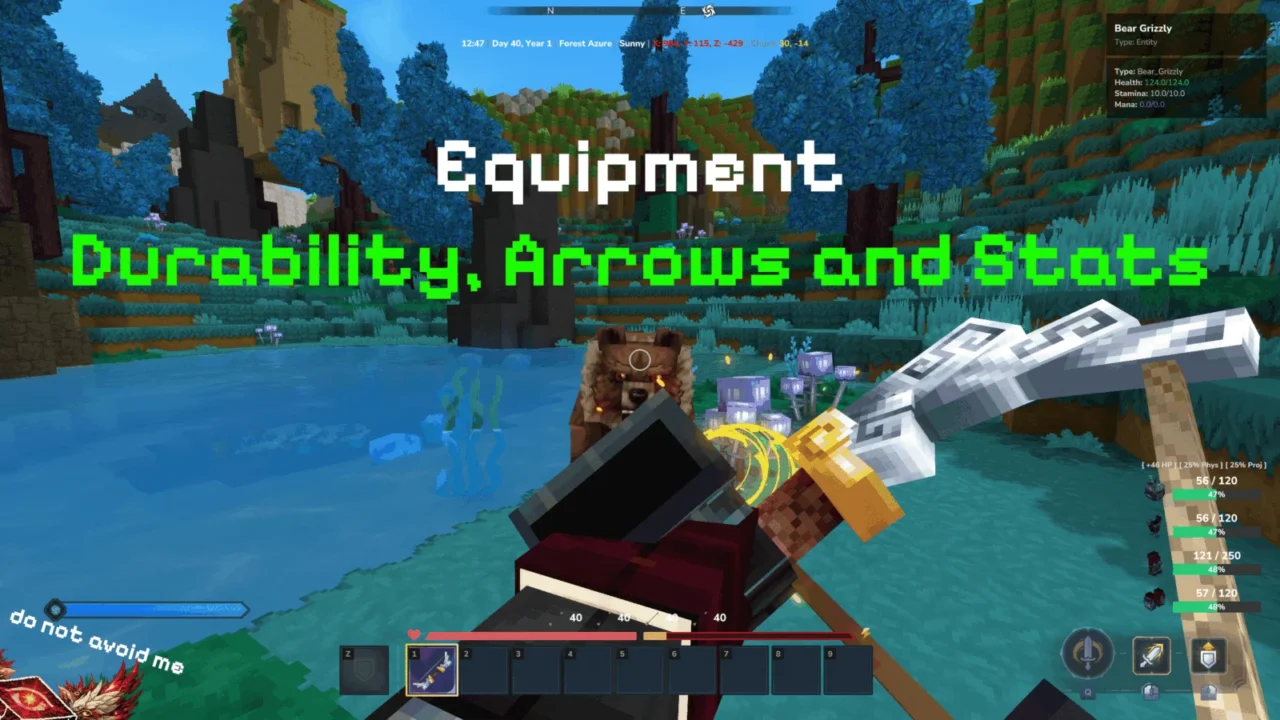
More screenshots on CurseForge ↗
What this mod does
OMNISIGHT is an on-screen info panel that tells you what you’re looking at and what the world around you is like. It can be minimal, with just the essentials, or very detailed when you need it.
What it can show
- Time, weather, biome and coordinates.
- Blocks, items and creatures you’re looking at, with portraits of animals and bosses.
- Gear stats, item rarity, food bonuses and arrows.
- Status of crops, soil and workbenches, protected zones and lives in hardcore mode.
- Combat Focus: tracks the enemy’s health during a fight.
Settings
/omni settings opens a menu with a live preview; /omni on and /omni off turn it on or off, and /omni profiler shows how much it uses. The documentation covers profiles, global and per-player settings, and permissions for servers.
Version 1.0.20 (September 23, 2026) is the first for Hytale 0.6 and fixes bugs in full mode and with crops. If you’re after something simpler, check out Blocchio.
This mod page was checked with Hytale 0.6 (Update 6). With Update 7 (0.7), released on October 12, 2026, the mod will need an update: don’t use it in an important world until the author releases a file tagged for the new version.
Checked on October 20, 2026: the author hasn’t released a file tagged for Hytale 0.7 (Update 7) on CurseForge yet. The latest version is 1.0.21 (October 11, 2026), for 0.6. We’ll check again and update this page as soon as it’s out.
User rating
Highlights and things to keep in mind
- Lots of info in a single panel
- Settings menu with a live preview
- Built-in performance monitor
- It went months without updates before 1.0.20
- With every module enabled it can clutter the screen
- All Rights Reserved license
- With Update 7 (released October 12, 2026), you'll have to wait for a compatible version and update the mod
Requirements
- Hytale (Early Access) on PC, version 0.6 (file OMNISIGHT-1.0.20.jar)
- No dependencies
How to install it
- Open the OMNISIGHT page on CurseForge and click Install to install it with the CurseForge app, or download OMNISIGHT-1.0.20.jar from the Files tab (the file tagged 0.6).
- If you download it manually, copy the file as is, without unzipping it, into the mods folder: on Windows, %APPDATA%\Hytale\UserData\Mods.
- Open Hytale, right-click the world, check OMNISIGHT in the mod list and save the world settings.
- On a dedicated server, place the file in the server's mods folder and restart it.
- In game, type /omni settings to choose what info you see and how it's displayed.
Version history
-
1.0.2111 Oct 2026Current
New version (for Hytale 0.6)
-
1.0.2023 Sep 2026
Hytale 0.6 compatibility; Combat Focus, settings preview, item rarity, protected zones and hardcore lives; fixes for full mode, dropped items and crops
-
1.0.191 Jun 2026
Last earlier version (Early Access)
Common problems
Does it let you see ores through walls?
No. It shows info about the block, item or creature in front of you, plus general data like time, weather or coordinates.
Is it heavy on performance?
It comes with a performance monitor (/omni profiler) so you can check. If you notice stutters, turn off modules in /omni settings.
Can I use it with Blocchio or Advanced Item Info?
They do similar things; you can combine them, but you'll get duplicate info on screen.
Why was there no version for Hytale 0.5?
The author explains they were away for a while; 1.0.19 was from June and the next one is already for 0.6.
More mods for Hytale
 Multiplayer
  Multiplayer
  Multiplayer
  Multiplayer
  Multiplayer
  Multiplayer