Repair Workbench for Hytale
A repair bench that restores tools, weapons and armor to full durability, including max durability, in exchange for matching materials. Version 2.7.0 for Hytale 0.6.
Download Repair Workbench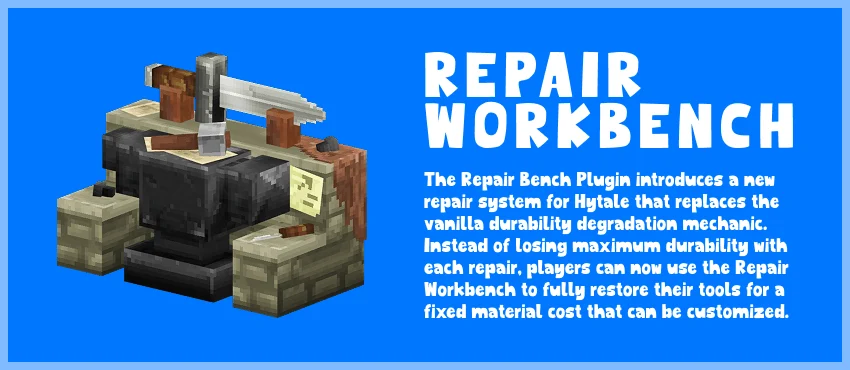
More screenshots on CurseForge ↗
What this mod does
In Hytale, repairing with kits gradually chips away at your items’ max durability until they’re useless. Repair Workbench fixes that with a new bench that repairs fully, both current and max durability, in exchange for materials.
How it works
- Place the bench in your base and interact with it to open the repair menu.
- You’ll see every repairable item with its durability percentage, the cost and the materials you have.
- The bench pulls materials from your inventory and from nearby chests (14 blocks horizontally and 6 vertically), just like the game’s benches.
- Items you can’t afford are grayed out.
Cost and balance
Each item is paid for with its own material: by default, 2 ingots for copper, iron, cobalt or adamantite tools and 3 fiber for wooden ones. The more damaged it is, the more it costs. The bench isn’t portable: when you break it, it drops its materials, so repairs in the middle of an expedition still rely on kits. It’s crafted at a tier 2 workbench with iron, wood and stone.
For servers
Everything is set in config.json: default cost, per-item costs with patterns, excluded items or free repairs. Version 2.7.0 (September 11, 2026) is the latest for Hytale 0.6. If you want to know how regular repairs work, check out our guide to repairing tools in Hytale.
Update (Oct 12, 2026): with Update 7 (0.7) now out, the author has already published a compatible file: version 2.7.5 (October 12, 2026). What’s described on this page was checked with the previous version; review the author’s changelog in case anything has changed.
User rating
Highlights and things to keep in mind
- Ends the max durability loss from regular repairs
- Takes materials from nearby chests
- Fully configurable costs for servers
- No use away from your base: the bench isn't portable
- The default costs can make repairs expensive for badly damaged items
- Update 7 (0.7) already has a compatible file from the author (October 12, 2026)
Requirements
- Hytale (Early Access) on PC, version 0.7 (file Repair Bench v2.7.0)
- No dependencies: doesn't need any other mods
- A tier 2 workbench in your game to craft the repair bench
How to install it
- Open the Repair Workbench page on CurseForge and click Install to install it with the CurseForge app, or download Repair Bench v2.7.0 (RepairBench.jar) from the Files tab.
- If you download it manually, copy the file as is, without unzipping it, into the mods folder: on Windows, %APPDATA%\Hytale\UserData\Mods.
- Open Hytale, right-click the world, check Repair Workbench in the mod list and save the world settings.
- On a dedicated server, place the file in the server's mods folder and restart it.
- To check that it loaded, type /plugins in game: BjornV:RepairBench should appear. Its config file is created after the first launch.
Version history
-
2.7.512 Oct 2026Current
File for Hytale 0.7 (Update 7)
Common problems
Does it also repair max durability?
Yes. That's the whole point: it restores current and max durability, which regular repairs keep reducing.
Do I have to carry the materials with me?
No. The bench uses whatever you have in your inventory and in chests within 14 blocks horizontally and 6 vertically.
Can repairs be made free?
Yes, in config.json you can set the cost to zero, change the material for a specific item or exclude items from the menu.
It doesn't show up in game
Type /plugins and check that BjornV:RepairBench is listed. If it isn't, make sure the .jar is in the Mods folder and enabled in the world.
More mods for Hytale
 Multiplayer