Thorium Chests for Hytale
Adds eleven chests made from Orbis metals, from copper to prisma, with more space the better the metal: from 27 to 63 slots. Crafted at the Workbench.
Download Thorium Chests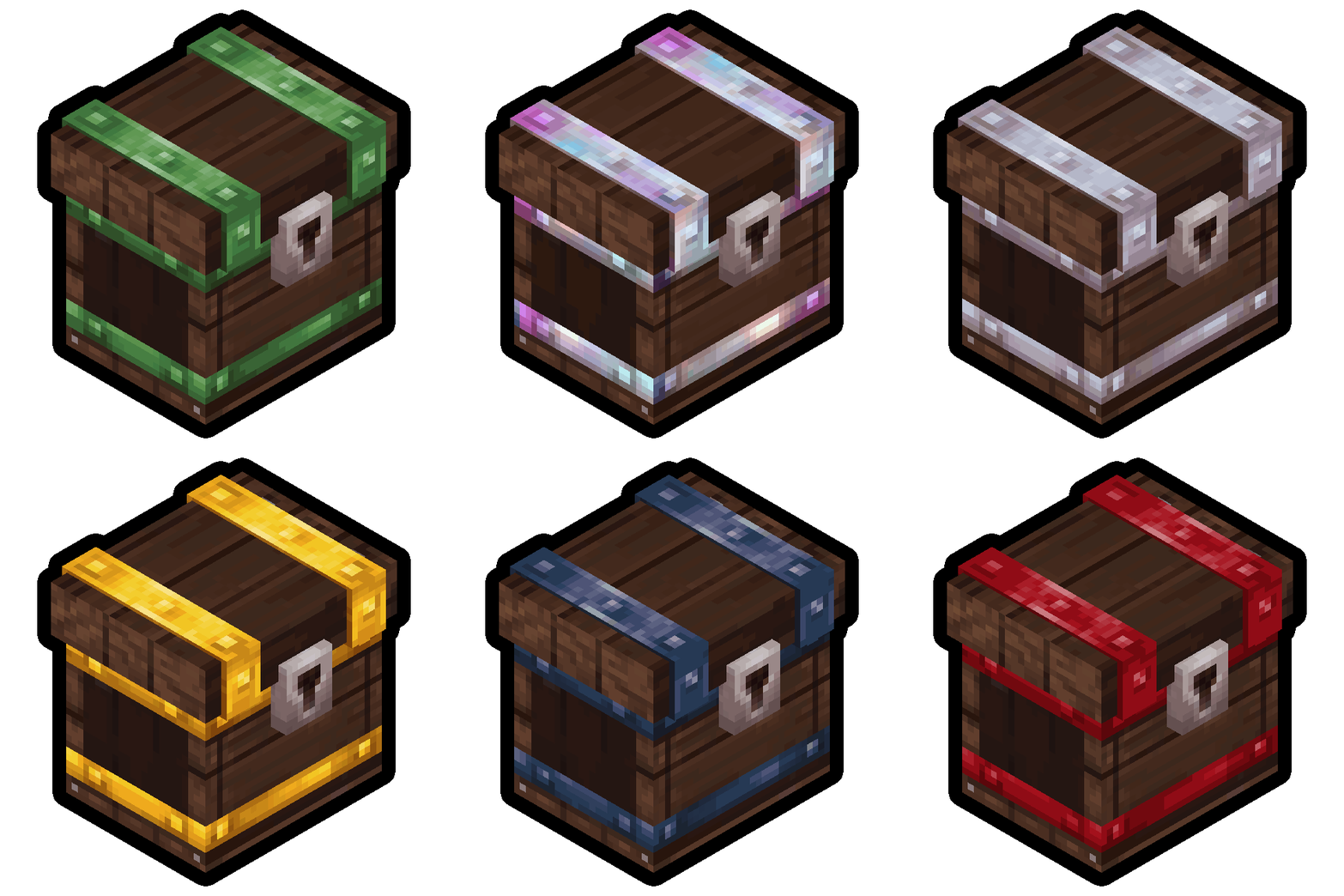
More screenshots on CurseForge ↗
What this mod does
Thorium Chests is a simple, useful storage mod: it adds eleven new chests, each made from one of the metals you find in Orbis. The more advanced the metal, the more slots the chest has, so your storage grows as you progress.
Capacity of each chest
- Copper: 27 slots.
- Iron: 36.
- Gold: 40.
- Thorium, Onyxium and bronze: 45.
- Cobalt: 49.
- Adamantite: 54.
- Silver: 58.
- Mithril and prisma: 63.
How to get them
They’re all crafted at the Workbench. There are no intermediate upgrades or rare items: you make the chest from whatever metal you have and place it like any other container. That way you can start with copper or iron chests and swap them for bigger ones once you reach the endgame metals.
Who it’s for
For players whose base is full of regular chests and who want to organize it with fewer blocks. It’s by the same author as Thorium Furnaces, and the official video shows both. Version 1.0.4 is released for Hytale 0.6.
Checked on October 20, 2026: the author hasn’t yet released a file tagged for Hytale 0.7 (Update 7) on CurseForge. We’ll check again and update this page as soon as it’s out.
User rating
Mod video
Highlights and things to keep in mind
- Much more space per block than regular chests
- Logical progression that follows the game's metals
- Well-known author and no dependencies
- Some chests share the same capacity (thorium, Onyxium and bronze have 45 slots)
- Before removing the mod, empty the chests so you don't lose what's stored in them
Requirements
- Hytale (Early Access) on PC, version 0.6 for version 1.0.4 of the mod
- Enable the mod in the world settings or install it on the server
- No other mods needed
How to install it
- Open the Thorium Chests page on CurseForge and click Install to install it with the CurseForge app, or download the .zip file from the Files tab.
- If you download it manually, copy the file into the mods folder: on Windows %APPDATA%\Hytale\UserData\Mods.
- Open Hytale, right-click the world where you want to use it, check Thorium Chests in the mod list and click Save World Settings.
- On a dedicated server, put the file in the server's mods folder and restart it.
- In game, look for the new chests in the Workbench recipes.
Common problems
Which chest has the most space?
The mithril and prisma ones, with 63 slots each.
I can't find the recipes
The chests are crafted at the Workbench; you need bars of the matching metal.
Does it need a library?
No. The Relations tab on CurseForge doesn't list any dependencies.
More mods for Hytale
 Multiplayer
 Multiplayer