Where this at? for Hytale
Place an Inventory Lectern to search every nearby chest: it highlights where an item is, pulls it to your inventory or stores what you carry in the right chest.
Download Where this at?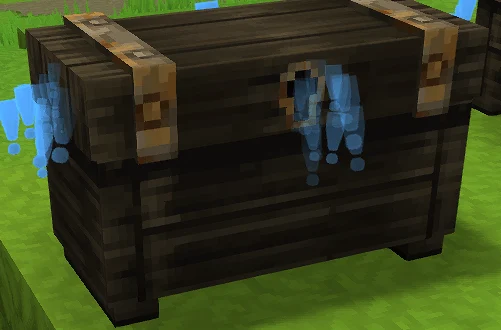
More screenshots on CurseForge ↗
What this mod does
Where this at? solves a very common problem: having a base full of chests and no idea which one you left something in. It adds a block, the Inventory Lectern, which reads the contents of every inventory near it and shows them all together in a single window.
What you can do
- Search for an item across all the chests near the lectern.
- Highlight the chest it’s in, so you can go get it.
- Pull it straight into your inventory without moving.
- Deposit what you’re carrying into the chests from the same interface.
Options
You can make it deposit an item only into chests that already contain that same item, to keep your storage tidy, and have it always leave one unit in the slot when you take items out, which is handy if you use your chests as «labels» for what they hold.
How to get it
The lectern is crafted at the Workbench, in the Tinkering section (Crafting Bench – Tinkering). Place it in your storage room and interact with it to open the search.
Who it’s for
For anyone with a big base or who plays with lots of mods and piles up items. It’s by the same author as Simple Claims and Advanced Item Info. Version 1.0.12 is updated to Hytale 0.6.0.
Update (Oct 12, 2026): with Update 7 (0.7) now out, the author has already released a compatible file: version 1.0.13 (October 12, 2026). What’s described on this page was tested with the previous version; check the author’s changelog in case anything has changed.
User rating
Highlights and things to keep in mind
- Saves a lot of time digging through chests
- Take out and store items without moving
- Lightweight, no dependencies and open source (MIT)
- Only works with chests near the lectern; the page doesn't state the radius
- The current version is from August 26, 2026, right before the public release of Update 6
Requirements
- Hytale (Early Access) on PC, version 0.7 for version 1.0.12 of the mod
- Enable the mod in the world settings or install it on the server
- No other mods needed
How to install it
- Open the Where this at? page on CurseForge and click Install with the CurseForge app, or download the .jar from the Files tab.
- If you download it manually, copy the file into the mods folder: on Windows %APPDATA%\Hytale\UserData\Mods.
- In Hytale, right-click the world, check the mod in the list and save the world settings.
- On a dedicated server, put the .jar in the server's mods folder and restart it.
- In game, craft the Inventory Lectern at the Workbench (Tinkering), place it next to your chests and interact with it.
Version history
-
1.0.1312 Oct 2026Current
File for Hytale 0.7 (Update 7)
-
1.0.1226 Aug 2026
Updated to Hytale 0.6.0
Common problems
The lectern doesn't see some chests
It only reads nearby inventories. Place it in the middle of your storage room or move the chests closer.
Where is the lectern crafted?
At the Workbench, in the Tinkering section.
Items get mixed up when I deposit
Turn on the option to deposit only into chests that already hold that item.
More mods for Hytale

 Multiplayer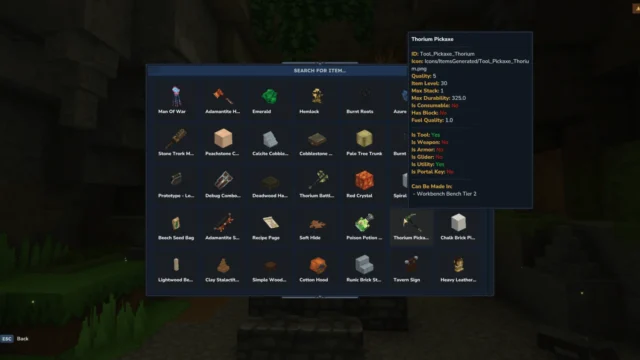
 Multiplayer