Ymmersive Equipment for Hytale
Four tools for the workbench: a blueprint to view your build from above, a spyglass, a barrel for carrying lots of water and an orb that takes you back to a saved spot.
Download Ymmersive Equipment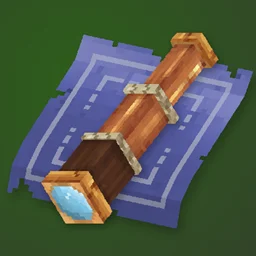
More screenshots on CurseForge ↗
What this mod does
Ymmersive Equipment is part of Conczin’s Ymmersive collection, the same one behind Ymmersive Carpentry and Ymmersive Masonry. It adds handy tools for building and exploring, all craftable at the workbench, in the tools section.
The items
- Blueprint: lets you view your build from above to plan it better.
- Spyglass: for looking at distant objects or keeping an eye on enemies.
- Water barrel: carries large amounts of water.
- Orb of Teleportation: remembers a location and takes you back there when you use it.
With Update 7
Version 1.0.5, released October 15, 2026, is tagged for Hytale 0.7 and updated to 0.7.2. It adapts the water barrel to the new chunk section API and fixes a bug where filling the barrel changed the player’s position. Update 7 already includes an official spyglass, so this mod’s one is redundant; what it brings is the blueprint, the barrel and the orb. If you’re only interested in the spyglass, there’s also Spyglass.
Who it’s for
For builders and explorers who want unobtrusive utilities without changing the game’s style. The author promises more equipment in the future.
User rating
Highlights and things to keep in mind
- Four practical utilities in a lightweight mod
- Author with many popular mods and quick updates
- Open source (GPLv3) with community translation on Crowdin
- The spyglass has been in the base game since Update 7
- The page doesn't list recipes or details for each item
- Few items for now
Requirements
- Hytale (Early Access) on PC, version 0.7 (file ymmersive-equipment-1.0.5.jar, updated to 0.7.2)
- No dependencies: no other mods needed
- A workbench to craft the items (tools section)
How to install it
- Open the Ymmersive Equipment page on CurseForge and click Install to install it with the CurseForge app, or download ymmersive-equipment-1.0.5.jar from the Files tab (the file tagged 0.7).
- If you download it manually, copy the file as is, without unzipping it, into your mods folder: on Windows %APPDATA%\Hytale\UserData\Mods.
- Open Hytale, right-click the world, check Ymmersive Equipment in the mod list and save the world settings.
- In-game, open the workbench and look for the items in the tools section.
Version history
-
1.0.515 Oct 2026Current
Updated to Hytale 0.7.2; water barrel adapted to the chunk section API; fixed the position change when filling it
-
1.0.49 Sep 2026
Updated to 0.6.4
Common problems
Does it clash with the Update 7 spyglass?
The author doesn't mention it. They're separate items: the mod's one is crafted at the workbench.
How does the orb work?
It remembers a location and teleports you back there when you use it. The page doesn't detail charges or cooldown.
What does 1.0.5 fix?
It adapts the mod to Hytale 0.7.2, updates the water barrel to the new API and fixes a bug that moved the player when filling it.
More mods for Hytale
 Multiplayer
  Multiplayer