Ymmersive Melodies for Hytale
Adds instruments crafted at the Workbench that let you play MIDI songs in real time, including your own uploads. Syncs with nearby players. Version 1.1.4.
Download Ymmersive Melodies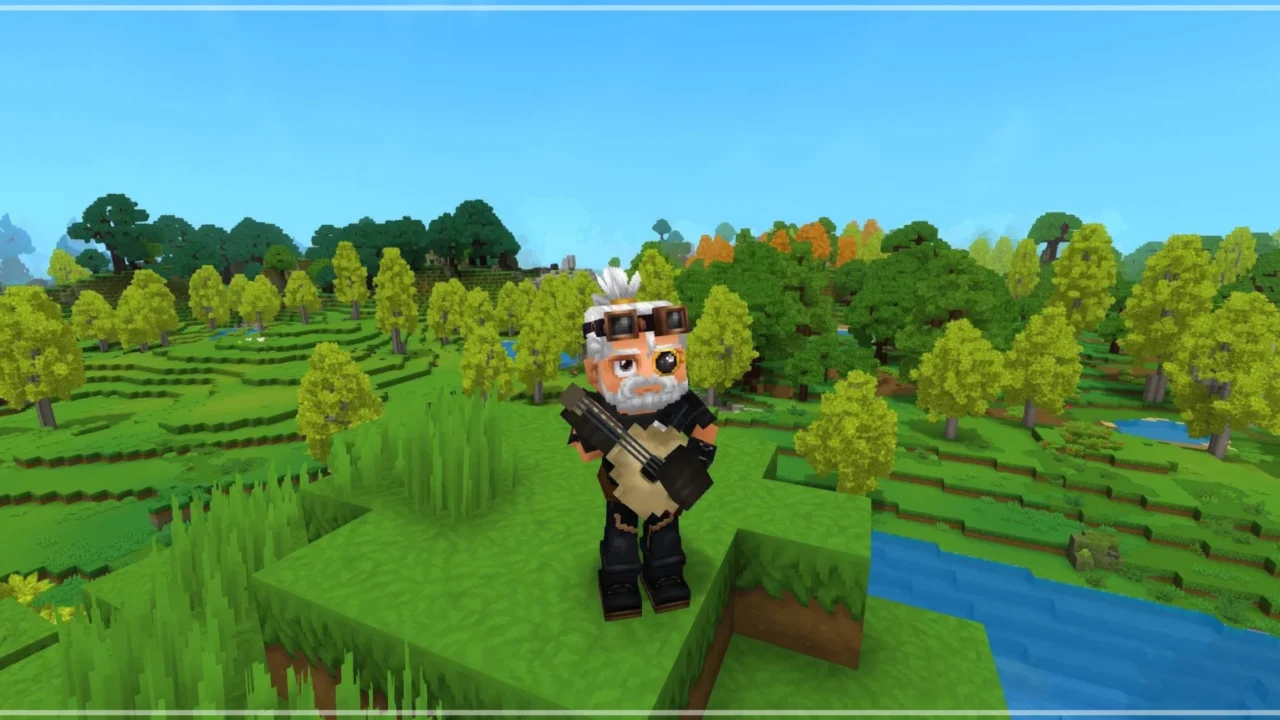
More screenshots on CurseForge ↗
What this mod does
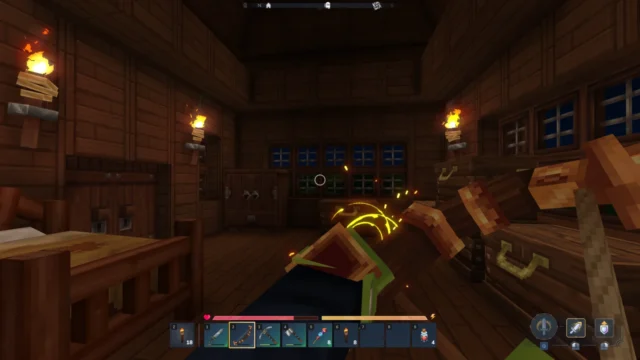
Ymmersive Melodies, by Conczin, turns Hytale into a little music stage: it adds instruments you can craft and use to play melodies in real time. The best part is that it isn’t limited to a handful of built-in songs: you can load your own MIDI files and they’ll play in game. It’s one of the most downloaded Hytale mods on CurseForge (over 250,000 downloads), and its version 1.1.4, from September 9, 2026, is released for Update 6 (0.6).
What it adds
- Craftable instruments at the Workbench, in the tools section. Since version 1.0.3 the recipes use copper instead of bronze, so they can be crafted with base-game materials.
- Real-time melodies: several players can play at once and, since 1.1.0, the music syncs with nearby players.
- Your own MIDI files: from the instrument’s interface you choose to upload a song and paste a direct link to the .midi file (not to the website hosting it). In single-player, a path on your drive works too.
- Song packs for servers: pairs of .json and .midi files in the /Server/YmmersiveMelodies folder.
Who it’s for
For groups of friends and servers that want to liven up a tavern, a plaza or a party, and for anyone who wants to play their favorite song in the middle of a session. Instrument volume follows the game’s sound effects (SFX) slider, so if it gets annoying, you can turn it down there.
The author still plans to add server permissions and options, keyboard playing, NPCs using instruments and choosing a track within a MIDI.
Checked on October 20, 2026: the author hasn’t yet released a file on CurseForge tagged for Hytale 0.7 (Update 7). We’ll check again and update this page as soon as it’s out.
User rating
Highlights and things to keep in mind
- Lets you play any song in MIDI format, not just the included ones
- Syncs music between nearby players
- Instruments craftable with base-game materials
- On servers there are no permissions yet to limit who plays
- Uploading from a local file only works in single-player
- Larger than most mods (about 12.7 MB)
Requirements
- Hytale (Early Access) on PC, version 0.6
- No other mods needed
- To upload songs: a direct link to a .midi file the server can access, or a local file in single-player
How to install it
- Open the Ymmersive Melodies page on CurseForge and click Install to install it with the CurseForge app, or download the file ymmersive-melodies-1.1.4.jar (version for 0.6) from the Files tab.
- If you download it manually, copy the file as is, without unzipping it, into the mods folder: on Windows %APPDATA%\Hytale\UserData\Mods.
- Open Hytale, right-click the world where you want to use it, tick Ymmersive Melodies in the mod list and save the world settings.
- On a dedicated server, place the file in the server's mods folder and restart it.
- In game, craft an instrument at the Workbench (tools section), use it to open its interface and pick a melody or upload your own.
Version history
-
1.1.49 Sep 2026Current
Updated to Hytale 0.6.4
-
1.1.331 May 2026
The sound effects (SFX) slider controls instrument volume
-
1.1.230 May 2026
Server updated to version 0.5.3
Common problems
It won't let me upload my song
The link must point to the .midi file itself, not to the web page it's on. A file path on your PC only works in single-player.
My friends can't hear what I'm playing
Since version 1.1.0 the music syncs with nearby players: make sure you're all on the same server running version 1.1.4 and close to the instrument.
The instrument is too loud
Since 1.1.3 the volume follows the sound effects (SFX) slider in the game's audio settings.
Can I limit who plays on my server?
Not yet: permissions and server settings are on the author's roadmap.
More mods for Hytale
 Multiplayer