Passable Crops for Stardew Valley
Walk through crops like the Junimos do, and optionally through scarecrows, sprinklers, saplings and tea bushes too. Version 1.2.3 (August 2025).
Download Passable Crops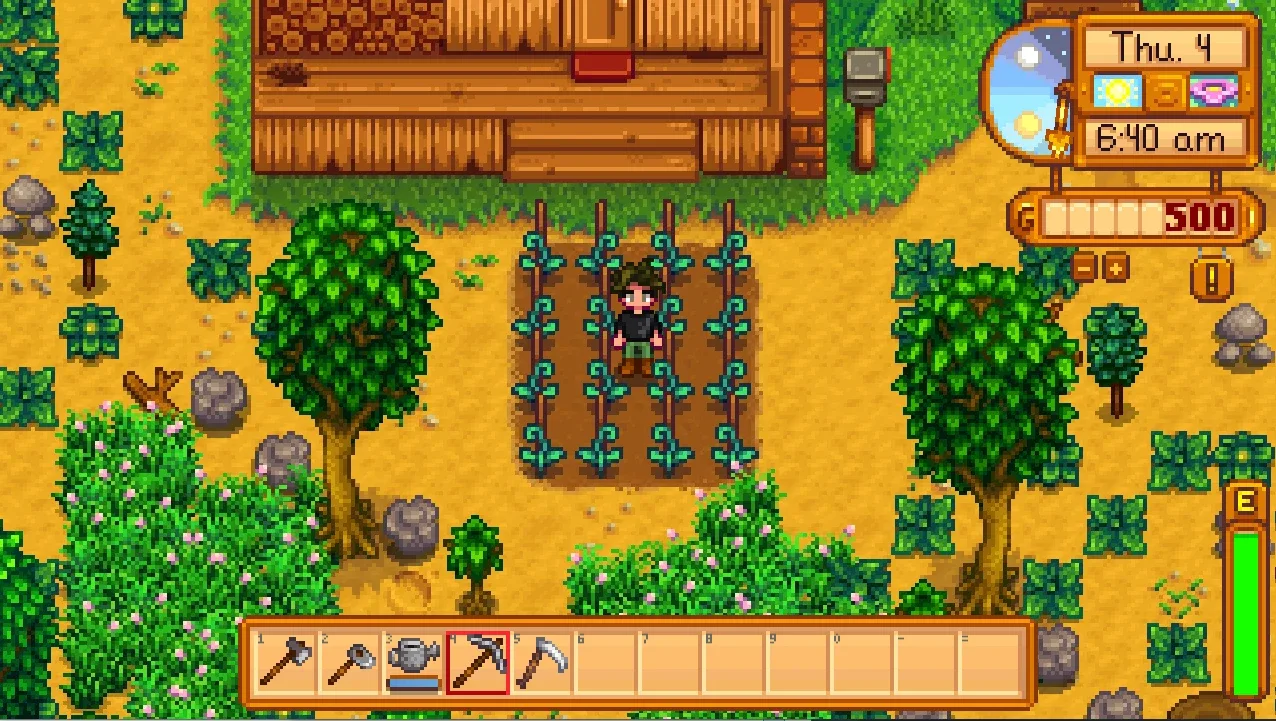
More screenshots on Nexus Mods ↗
What this mod does
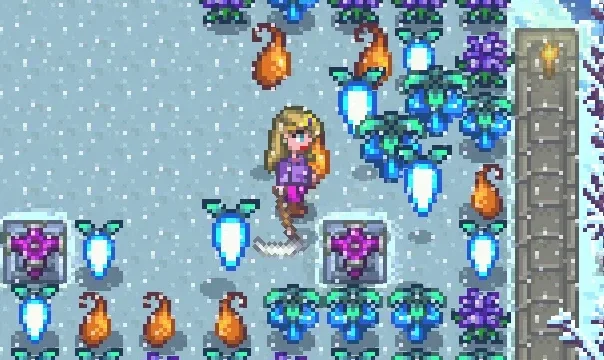
Passable Crops removes one of the farm’s little annoyances: getting stuck between crops. With this mod your farmer can walk through all plants, just like the Junimos do, and newly planted trellis crops sway as you pass.
What you can walk through
- All crops, by default.
- Optionally: scarecrows, sprinklers, forage items, weeds, tea bushes and saplings of regular and fruit trees.
- Since 1.2.0, young trees up to size 5 as well.
- Ice crystals can’t be walked through.
Your farmer moves a little slower when passing through an object. With Generic Mod Config Menu you choose which types can be walked through, whether they sway and make sound as you pass, custom include and exclude lists, and whether NPCs and monsters can pass through them too.
Compatibility
It only needs SMAPI. It has supported 1.6 since version 1.1.0, and the current file is 1.2.3 (August 11, 2025, 24 KB). It doesn’t change anything else about crops, so it should be compatible with almost everything; the author only warns of possible clashes with mods that also redraw objects. There’s no Spanish translation on Nexus. It pairs well with Yet Another Harvest With Scythe.
User rating
Highlights and things to keep in mind
- No more getting stuck in your crops
- Highly configurable
- Compatible with almost everything
- Updated in 2025
- Passing through objects slows you down a little
- No Spanish translation
- May clash with mods that redraw objects
Requirements
- Stardew Valley 1.6.x (PC)
- SMAPI 4.x
- Optional: Generic Mod Config Menu
How to install it
- Install SMAPI first (see its mod page) and launch the game once with it to make sure it works.
- Open the Passable Crops page on Nexus Mods, go to the Files tab and click Manual download on the main file (PassableCrops 1.2.3). You need a free Nexus account to download.
- Extract the .zip outside the game folder and move the resulting folder into the Mods folder, inside the game folder.
- Optional: install Generic Mod Config Menu to choose which objects can be walked through.
- Launch the game with SMAPI and walk through your crops: they won't block your way anymore.
Version history
-
1.2.311 Aug 2025Current
Current file
-
1.2.28 Aug 2025
Previous version
-
1.2.115 May 2025
Previous version
Common problems
Can I walk through sprinklers too?
Yes, if you turn it on in the settings, as with scarecrows, saplings or tea bushes.
Does it change how crops grow?
No. It only changes whether you can walk through them.
Is it available in Spanish?
There's no Spanish translation on Nexus; the menu options are in English.
More mods for Stardew Valley
 ✓ Stardew Valley 1.6
  ✓ Stardew Valley 1.6Multiplayer
  ✓ Stardew Valley 1.6Multiplayer
  ✓ Stardew Valley 1.6
  ✓ Stardew Valley 1.6
  ✓ Stardew Valley 1.6