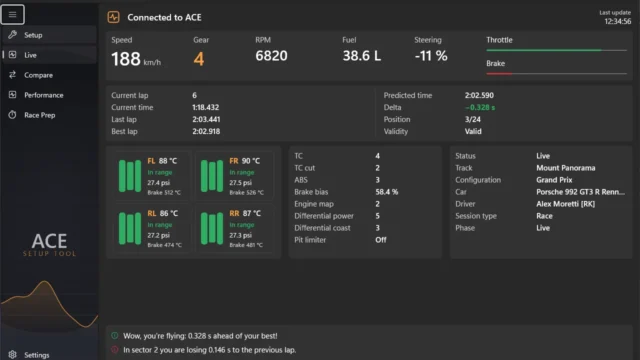
ACE UI Better Delta Bar for Assetto Corsa EVO
Delta bar for the Assetto Corsa EVO HUD that instantly tells you if you're gaining or losing time, with predicted lap, best lap and invalid-lap warnings. Free.
Download ACE UI Better Delta Bar
What this mod does
ACE UI Better Delta Bar replaces the game’s delta with a more complete bar. It tells you at every moment whether you’re faster or slower than your reference lap. It’s another app by Andreas Grech for his UI loader, ACE UI App Loader.
What it shows
- A bar with your gain or loss against the reference.
- A number that changes color with the trend: green if you’re gaining, red if you’re losing and white if you’re holding steady.
- Session optimal lap, best lap and predicted lap.
- A red INVALID label with the reason when the game invalidates the lap, plus gray PIT LANE and OUTLAP labels.
Two layouts
You can pick a compact layout, inspired by iRacing, or a full one, inspired by RaceLab, which adds a graph of how the delta evolves over the lap. In the options you can change the width, bar range, decimals, scale, colors, trend sensitivity and which data is shown. You can drag the bar anywhere on the HUD and it remembers its position.
Tip
To avoid having two bars at once, turn off the game’s delta in Settings > Gameplay / HUD > HUD > Delta Timer. If you see «No reference lap», you need to complete a full lap first. Right-clicking the bar to open the options requires version 0.27.0 of the loader.
User rating
Highlights and things to keep in mind
- Clearer delta than the game's
- Two layouts to choose from
- Warns you about invalidated laps
- Requires ACE UI App Loader 0.26.0 or later
- No ratings yet
- May require updating the loader after each EVO patch
Requirements
- Assetto Corsa EVO on PC (Steam)
- ACE UI App Loader 0.26.0 or later (0.27.0 for the right-click menu)
How to install it
- Install or update ACE UI App Loader.
- Download the ACEBetterDeltaBar ZIP from GitHub.
- Open %USERPROFILE%\Saved Games\ACE with Win + R.
- Drag the mods and Video folders from the ZIP into that window and accept merging them.
- In the car, open the app drawer from the right edge and enable the bar.
- Turn off the game's Delta Timer in the HUD settings.
Version history
-
0.2.025 Sep 2026Current
First release
Common problems
"No reference lap" appears
Complete a full lap first so you have a reference.
How do I remove it?
Delete the mods\uiresources\ACEUIAppLoader\betterdeltabar folder and the Video\ACEUIAppLoader-betterdeltabar.settingspreset file in Saved Games\ACE.
Is it paid?
No. It's free; the author accepts donations via PayPal and Buy Me a Coffee.
More mods for AC EVO

 Multiplayer
  Multiplayer