ACE UI Pedal Graph for Assetto Corsa EVO
Assetto Corsa EVO HUD app that plots throttle, brake, clutch and handbrake on a scrolling graph, with ABS and TC markers. Free; requires ACE UI App Loader.
Download ACE UI Pedal Graph
What this mod does
ACE UI Pedal Graph adds a graph to the Assetto Corsa EVO HUD that scrolls in real time with what you do on the pedals. It’s the classic input telemetry drivers use to see whether they brake decisively, release the brake smoothly on corner entry or get on the throttle too early. It’s by Andreas Grech, the same author as ACE UI App Loader.
What it shows
- Throttle, brake, clutch and handbrake, each with its own level bar.
- Optionally, steering input, drawn from the center line.
- Markers on the graph when ABS, traction control or ESC kick in.
- 3, 5 or 10 seconds of history, with configurable scale, height, style and draw order.
If you’re spectating, it shows the inputs of the car you’re watching. You can drag the window anywhere on the HUD and it remembers its position and settings between sessions.
Important requirement
It doesn’t work on its own: first you need ACE UI App Loader, the loader that lets you use community apps in EVO’s UI. Everything installs into your saved games folder without touching the game files, and you uninstall it by deleting one folder and one file.
Who it’s for
For anyone who wants to improve their braking technique without leaving the game or using external programs.
User rating
Highlights and things to keep in mind
- Pedal telemetry right in the HUD
- ABS, TC and ESC markers
- Open source
- Requires ACE UI App Loader
- Only one rating so far
- May require updating the loader after each EVO patch
Requirements
- Assetto Corsa EVO on PC (Steam)
- ACE UI App Loader installed, in the version that matches your EVO build
How to install it
- Install ACE UI App Loader if you don't have it yet.
- Download the ACEPedalGraph ZIP from GitHub.
- Press Win + R, type %USERPROFILE%\Saved Games\ACE and press Enter.
- Drag the mods and Video folders from the ZIP into that window and accept merging them.
- In the car, move the mouse to the right edge of the screen to open the app drawer.
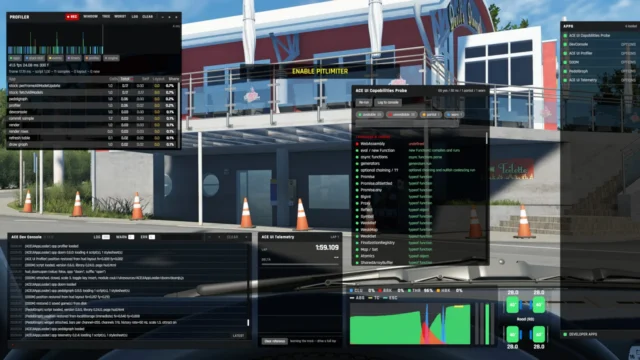
- Enable Pedal Graph and adjust it with the OPTIONS button.
Version history
-
0.8.625 Sep 2026Current
Demo mode only lasts one game session
-
0.8.520 Sep 2026
First release
Common problems
It doesn't appear in the app drawer
Check that the loader is installed, that you copied both folders and that the file in the Video folder is still empty.
The graph is flat
It only moves while you're driving.
It moves without me touching anything
That's demo mode; since 0.8.6 it turns off when you restart the game.
More mods for AC EVO

 Multiplayer
  Multiplayer