Car Editor (official SDK) for Assetto Corsa EVO
KUNOS' official car editor for Assetto Corsa EVO: create new vehicles with a workflow similar to the studio's own. Aimed at modders with 3D experience.
Download Car Editor (official SDK)
More screenshots on assettocorsa.gg (KUNOS Simulazioni) / Steam ↗
What this mod does
The Car Editor is the first piece of Assetto Corsa EVO’s official SDK. KUNOS released it with the Early Access 0.7 update (June 2026), and it’s the official way to add new cars to the game. Unlike the original Assetto Corsa, there are no third-party tools that open up the game here: mods are created with this editor and packaged in a format EVO recognizes.
What it lets you do
- Create and import new cars using a workflow very similar to the one the dev team uses.
- PBR materials, full LOD management and aftermarket parts with visual and mechanical variants.
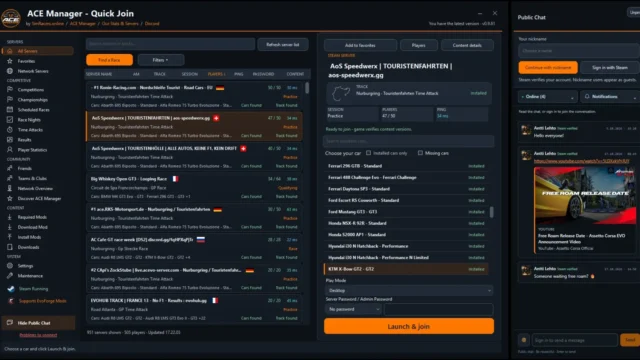
- Since version 0.8, community cars can be used in multiplayer on servers that have them installed.
What it can’t do yet
For now it only works for cars. KUNOS has said track tools will come later, and external livery creation arrived as a separate system in 0.8. Car audio isn’t open either.
Who it’s for
KUNOS aims it at users with technical experience in modeling and simulation. If you just want to install cars made by others, you don’t need it: simply download the mod from its author’s page. Keep in mind that KUNOS doesn’t review mods and isn’t responsible for content that infringes trademarks or licenses.
User rating
Highlights and things to keep in mind
- It's the official route: cars don't rely on patches or hacks
- Workflow close to the studio's own, with PBR, LOD and aftermarket parts
- Multiplayer-compatible since 0.8 thanks to SHA verification
- Cars only: tracks and sound can't be modded yet
- Requires a high technical level
- The game is still in Early Access and updates may force you to re-export mods (this happened with 0.8.1)
Requirements
- Assetto Corsa EVO on Steam updated to 0.7 or later
- Knowledge of 3D modeling, PBR materials and vehicle physics
- Windows PC
How to install it
- Update Assetto Corsa EVO to the latest version available on Steam.
- Find the Assetto Corsa EVO SDK editor in your Steam library (Tools section) and install it.
- Prepare the car model with its materials and LODs following KUNOS' official documentation.
- Export the car from the editor and test it offline first.
- If you'll use it online, make sure the server has exactly the same mod version (the server checks the SHA).
- Publish the car on your own channel, using only models, brands and sounds you have the rights to.
Version history
-
0.88 Jul 2026Current
Community cars allowed in multiplayer and support for external liveries
-
0.73 Jun 2026
First public SDK release with the Car Editor (single-player only)
Common problems
Can you create tracks with the SDK?
Not yet. KUNOS has announced that track tools will come in a later phase.
Do the cars you create work online?
Yes since 0.8, on servers that have the mod installed. The server rejects modified cars or ones with a different mod version.
Can I sell my mods?
The SDK license limits commercial use; to charge for them you need permission from KUNOS or for its published rules to allow it.
More mods for AC EVO

 Multiplayer