Real Head Motion for AC EVO for Assetto Corsa EVO
Assetto Corsa EVO port of Real Head Motion, the program that moves the cockpit camera with G-forces and stabilizes the horizon. Free.
Download Real Head Motion for AC EVO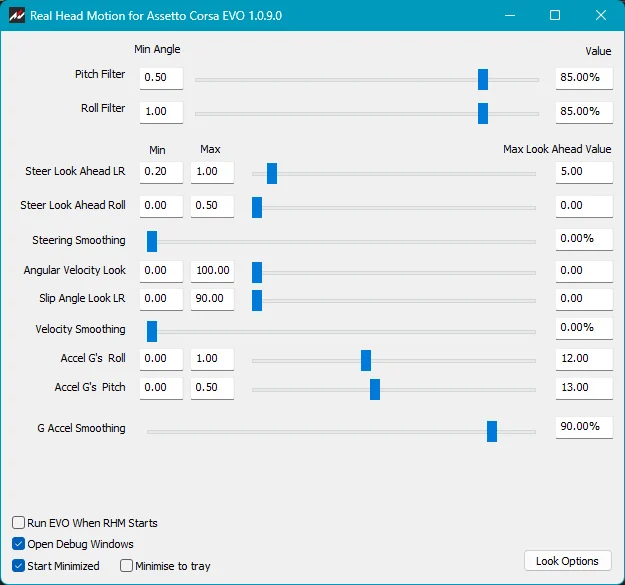
More screenshots on OverTake.gg ↗
What this mod does
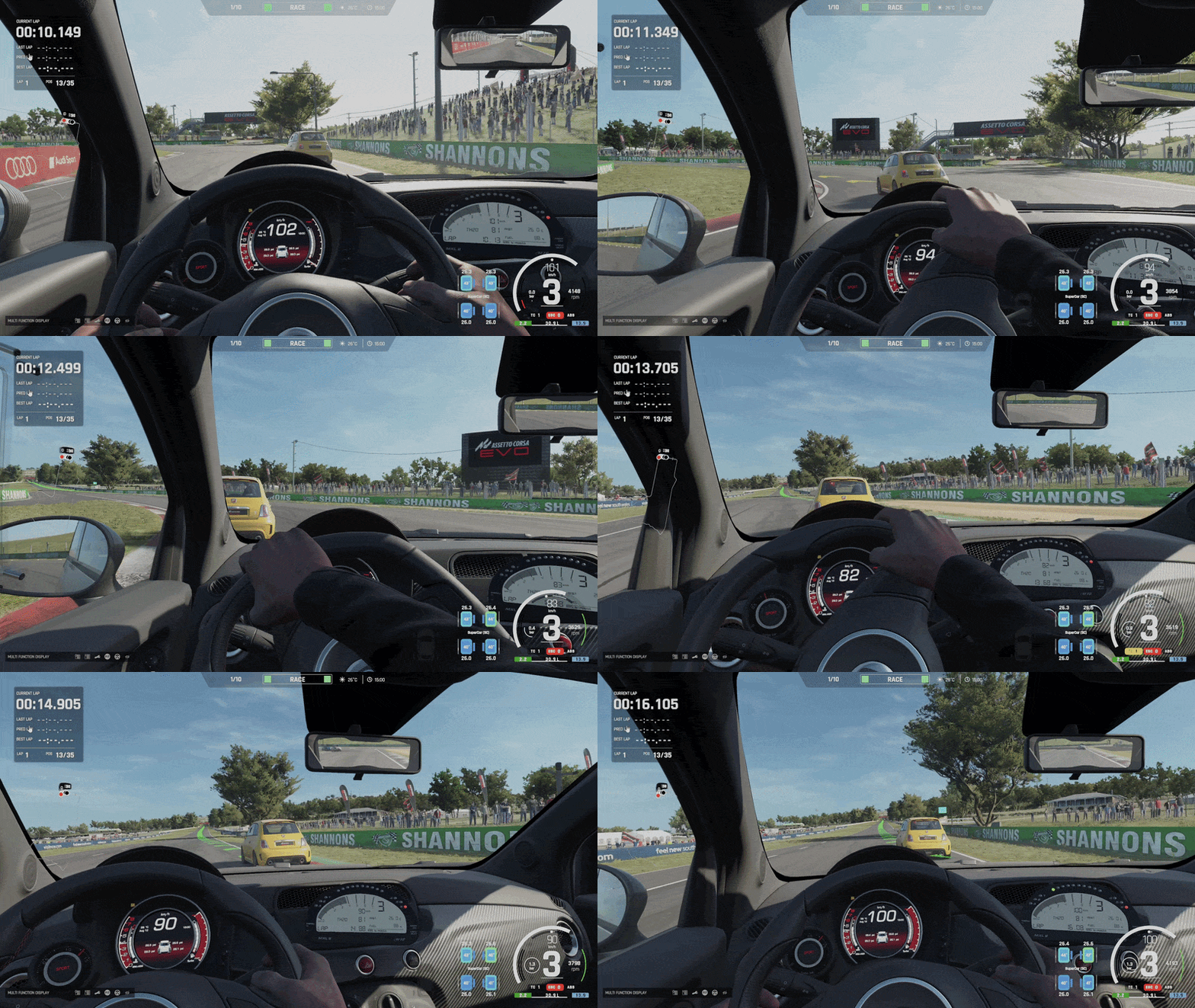
Real Head Motion is a veteran program for Kunos sims: Wally Masterson created it for Assetto Corsa Competizione and has now adapted it to Assetto Corsa EVO. Its goal is to make the cockpit camera behave like a real driver’s head. It leans with G-forces and keeps the horizon more stable, instead of being glued to the car.
What you can adjust
- Pitch and roll filters: the higher the value, the more stable the horizon stays.
- Roll from lateral G: how much the camera leans in corners.
- Pitch from longitudinal G: how much it moves under braking and acceleration.
- Look-ahead: turns your view slightly toward the inside of the corner based on steering input; a value of zero disables it.
How it works
It’s an external program that runs alongside the game. You have to open it every time you play, or tick the option so it launches EVO for you. To avoid stacking two effects, you need to set horizon lock and camera movement to zero in EVO’s view settings.
Who it’s for
For anyone driving on a monitor who wants a more natural cockpit view, with a sense of weight under braking and in corners, without the image becoming uncomfortable. It’s for EVO only; the Assetto Corsa and ACC versions are separate programs.
User rating
Highlights and things to keep in mind
- More natural cockpit view
- Highly configurable
- Author experienced with this kind of program
- You have to open it every time you play
- The final download is on Google Drive: only click the file's download button
- Very recent and no ratings yet
Requirements
- Assetto Corsa EVO on PC (Steam)
- Windows
- Free OverTake.gg account to see the download link
How to install it
- Go to the mod's page on OverTake.gg while logged in.
- Click the author's download link (Google Drive) and download the ZIP.
- Extract the files to a folder.
- In EVO, go to the view settings and set horizon lock and movement to zero.
- Run RealHeadMotionACEVO.exe before playing, or tick the option so it launches EVO.
- Adjust the filters and G values to your liking.
Version history
-
1.0.97 Oct 2026Current
First version released on OverTake
Common problems
Does it work with Assetto Corsa or ACC?
No. This version is for EVO only; the others have their own program.
Why does the camera move too much?
Make sure you've set horizon lock and movement to zero in EVO's view settings.
Is it paid?
No. It's a free download.
More mods for AC EVO

 Multiplayer