Mod Marker (dividers for the Mod Manager) for American Truck Simulator
Empty mods that work as headers in the Mod Manager to split your list into sections (trailers, sounds, graphics, maps…). They change nothing in the game. Free on Steam Workshop.
Download Mod Marker (dividers for the Mod Manager)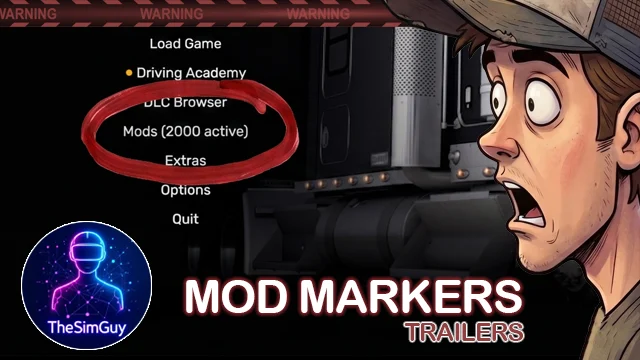
More screenshots on Steam Workshop ↗
What this mod does
Mod Marker is a series by TheSimGuy (Tedeschi Studio) made for players running dozens of mods. Each marker is an empty mod that shows up in the Mod Manager as a colored header, so you can visually split your load order into sections. This page links the trailers marker (Trailers).
Available markers
There are 15, each one standalone: map backgrounds, UI graphics, sounds, graphics/weather/lighting, physics, AI traffic, truck skins, accessories, truck models, trailers, cargo packs, models and textures, yards, map expansions and other mods.
How to use them
- Subscribe only to the markers you need.
- Place each one at the top of its section and put the mods of that type below it.
- The series doesn’t enforce any order: you decide it, following the recommendations from SCS and each mod author.
Compatibility
According to the author it contains no functional data, so it doesn’t affect performance or compatibility. It was verified on 1.59; version 1.1 changed the background to red at the community’s request. Since it doesn’t touch anything in the game, it should keep working on later versions, even if the Mod Manager shows a version warning.
One user says it helps them organize about a hundred mods. Some comments criticize the AI-made preview images, which doesn’t affect how it works.
Holyfix Check
Will it work with your mods?
Load your game.log.txt and check whether this mod is for your ATS version, whether you're missing a mod or DLC it needs and where to place it.
It's in Documents › American Truck Simulator › game.log.txt. It's read in your browser: the file is never uploaded.
Something else failing? Holyfix for ATS checks all your mods at once.
User rating
Highlights and things to keep in mind
- Visually organizes long mod lists
- No impact on the game or performance
- Each marker is standalone
- You have to subscribe to each marker separately
- Verified on 1.59; no mention of 1.61
- It doesn't tell you the correct load order
Requirements
- American Truck Simulator 1.59 (verified by the author)
- Steam account
- No DLC or additional mods
How to install it
- Open the page of the marker you want (for example, "Mod Marker Trailers") on Steam Workshop and click "Subscribe".
- Also subscribe to any other markers in the series you're interested in.
- Launch American Truck Simulator and wait for Steam to download them.
- In the Mod Manager, enable each marker and place it at the top of its section.
- Sort the mods of each type below their marker.
Version history
-
1.16 May 2026Current
ATS 1.59 compatibility verified
-
1.14 May 2026
Background changed to red
-
1.015 Apr 2026
First version (ATS 1.58)
Common problems
Does it change anything in the game?
No. According to the author it contains no functional data; it's just a header.
How many markers are there?
15, one for each common type of mod.
Does it tell me what order to put my mods in?
No; it only separates sections. You decide the order.
More mods for ATS
 ATS 1.59
  ATS 1.59
  ✓ ATS 1.61
  ✓ ATS 1.61
  ✓ ATS 1.61
  ATS 1.58