Traffic Trucks Smoke (exhaust smoke for traffic trucks) for American Truck Simulator
Adds exhaust smoke to ATS traffic trucks, some buses and emergency vehicles, plus smokestacks on trains. The author lists it as compatible with 1.50 to 1.61.
Download Traffic Trucks Smoke (exhaust smoke for traffic trucks)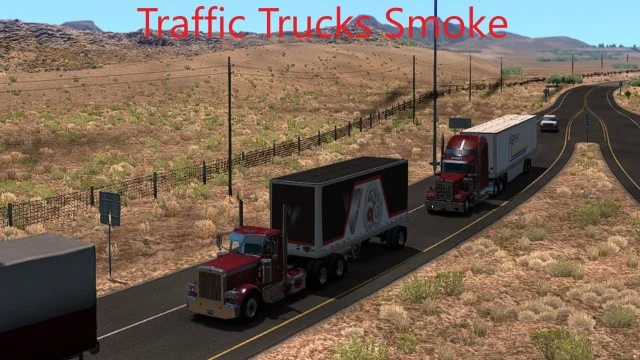
More screenshots on Steam Workshop ↗
What this mod does
Traffic Trucks Smoke, by Carlitos, adds exhaust smoke to American Truck Simulator traffic trucks from the brands sold at dealerships: Freightliner, International, Kenworth, Mack, Peterbilt, Volvo and Western Star. It also adds it to some buses, ambulances, fire trucks, the Mack RD690, the F350 and the low-cab Chevy, and gives trains a smokestack and smoke. It has over 36,000 subscribers.
What the smoke looks like
- It comes out in the original direction of each exhaust, except for the ones under the truck.
- The trail changes when the truck turns and with its speed.
- The author has two optional mods, Light Smoke and Heavy Smoke, for lighter or denser smoke; they must go above this one.
- With the optional modguard.dll plugin by ToniVolma, the smoke stops when the engine is off and increases when you accelerate.
Version and load order
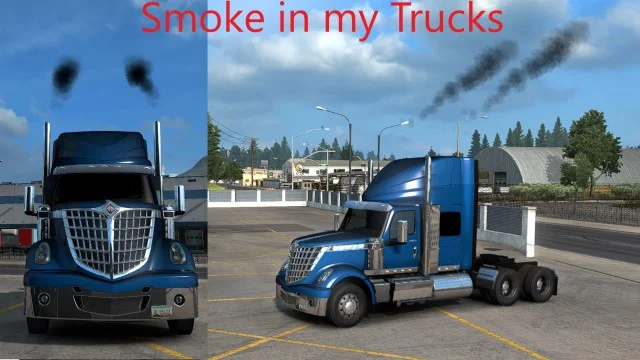
The description lists compatibility from “1.50*” to “1.61*” without explaining the asterisk, and the latest update is from August 22, 2026. If you also use Smoke in my Trucks, by the same author, keep Traffic Trucks Smoke below it. It’s about 79 MB and requires no DLC.
Holyfix Check
Will it work with your mods?
Load your game.log.txt and check whether this mod is for your ATS version, whether you're missing a mod or DLC it needs and where to place it.
It's in Documents › American Truck Simulator › game.log.txt. It's read in your browser: the file is never uploaded.
Something else failing? Holyfix for ATS checks all your mods at once.
User rating
Our rating
0.0 / 5- Brings traffic trucks and trains to life
- Light and heavy smoke variants
- An author who keeps the version list up to date
- Exhausts located under the truck don't follow their original direction
- The description doesn't explain the asterisk in “1.50*” to “1.61*”
- The modguard.dll plugin is optional and is downloaded outside Steam
- It's about 79 MB
Requirements
- American Truck Simulator updated to version 1.61
- A Steam account to subscribe on the Workshop
- No DLC required
- Optional: Light Smoke or Heavy Smoke by the same author, and the modguard.dll plugin
How to install it
- Open the “Traffic Trucks Smoke” page on Steam Workshop and click “Subscribe.”
- If you want a different kind of smoke, also subscribe to Light Smoke or Heavy Smoke.
- Launch American Truck Simulator and wait for Steam to finish the download.
- In the Mod Manager, enable Traffic Trucks Smoke and place Light Smoke or Heavy Smoke above it.
- If you use Smoke in my Trucks, keep it above Traffic Trucks Smoke.
Common problems
Which vehicles give off smoke?
Traffic trucks from the seven dealership brands, some buses, ambulances, fire trucks, the Mack RD690, the F350 and the low-cab Chevy; trains get a smokestack.
The smoke is too black
Use the author's optional Light Smoke mod, placed above this one.
Do I need the modguard.dll plugin?
No, it's optional: it stops the smoke when the engine is off and increases it when you accelerate.
How do I order it with Smoke in my Trucks?
Traffic Trucks Smoke must go below it.
More mods for ATS
 ✓ ATS 1.61
  ✓ ATS 1.61
  ✓ ATS 1.61
  ✓ ATS 1.61
  ✓ ATS 1.61
  ATS 1.60