nyoUpdates for Hytale
In-game mod manager: checks CurseForge for new versions all at once, installs them with a backup and lets you roll back. Version 3.0.4 for Hytale 0.7.
Download nyoUpdates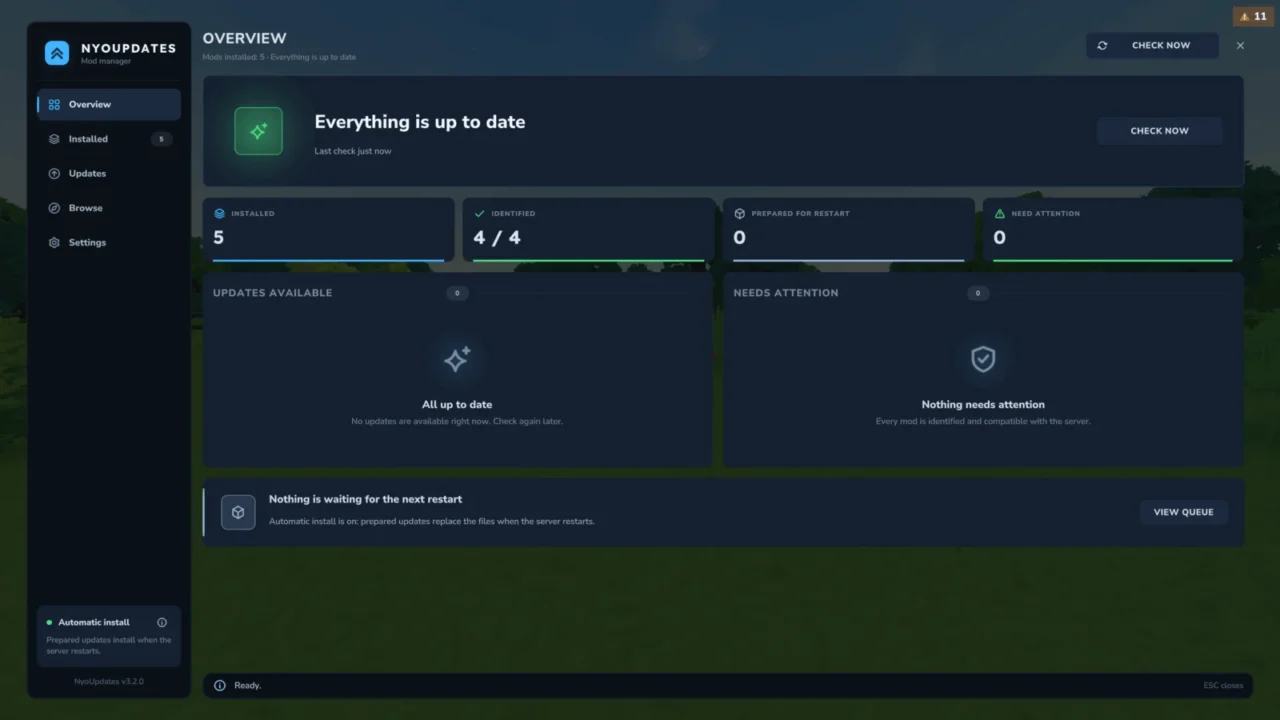
More screenshots on CurseForge ↗
What this mod does
nyoUpdates checks all your installed mods with a single query to a database synced with CurseForge (the author mentions about 50 ms) and tells you which ones have a new version. It comes at a good time: with Update 7, many plugins built for 0.6 need updating because of the API changes.
What it offers
- An interface with
/upd uito search, install, pick a specific version, and enable or disable mods. - Backups before updating (kept for 7 days) and verification of the downloaded file.
- Filter by release type: release and beta by default.
- An ignored-mods list and manual linking to a CurseForge project when it doesn’t recognize a mod.
- Spanish translation (AI-assisted, according to the author).
What’s new in 3.0.4
Released on October 12, 2026 for Update 7 and Java 25. Checking no longer downloads anything: /updates apply does that, and there’s /updates rollback to undo. Automatic downloading is turned off by default.
Servers
All commands are operator-only by default; it supports LuckPerms. Automatic mode requires launching with --accept-early-plugins, which many hosts don’t allow; manual mode works everywhere.
User rating
Highlights and things to keep in mind
- Very fast at checking dozens of mods
- Backups and rollback
- In-game interface and Spanish translation
- There was no version tagged for 0.6: it jumps from 2.1.1 (0.5) to 3.0.4 (0.7)
- Updates are applied on restart
- The Spanish translation was made with AI help
- Relies on an external service (nyoCF) to know what's new
- All Rights Reserved license
Requirements
- Hytale (Early Access) on PC or server, version 0.7 (file NyoUpdates-3.0.4.jar)
- No dependencies
- Operator permissions (or nyoupdates.* nodes with LuckPerms)
- Internet connection to check for updates
How to install it
- Open the nyoUpdates page on CurseForge and click Install to add it with the CurseForge app, or download NyoUpdates-3.0.4.jar from the Files tab (the file tagged 0.7).
- If you download it manually, copy the file as is, without unzipping it, into the mods folder: on Windows, %APPDATA%\Hytale\UserData\Mods.
- Open Hytale, right-click the world, check nyoUpdates in the mod list and save the world settings.
- On a dedicated server, put the file in the server's mods folder and restart it.
- In game, type /upd check to look for updates and /upd ui to open the manager; apply the changes with /updates apply and restart.
Version history
-
3.0.412 Oct 2026Current
Update 7 and Java 25 support; apply, preflight and rollback commands; automatic downloading off by default
-
2.1.11 Jun 2026
Previous version, tagged 0.5
Common problems
Does it need a CurseForge API key?
No. It uses the nyoCF API, synced with CurseForge, with CFWidget as a fallback if it fails.
Does it update mods on its own at startup?
It checks at startup (every 12 hours by default), but since 3.0 it doesn't download anything until you apply it; automatic downloading is optional.
Can I go back to a mod's previous version?
Yes. It makes a backup before updating, and 3.0.4 adds /updates rollback.
Does it work on a hosting provider?
Yes, in manual mode. Automatic mode needs the --accept-early-plugins parameter, which many hosts don't allow.
More mods for Hytale
 Multiplayer
  Multiplayer
  Multiplayer
  Multiplayer
 Multiplayer