Experience Bars for Stardew Valley
On-screen bars with each skill's XP and how much you need to level up; X shows them, Shift + X moves them. Version 1.4.6 for Stardew Valley 1.6.14.
Download Experience Bars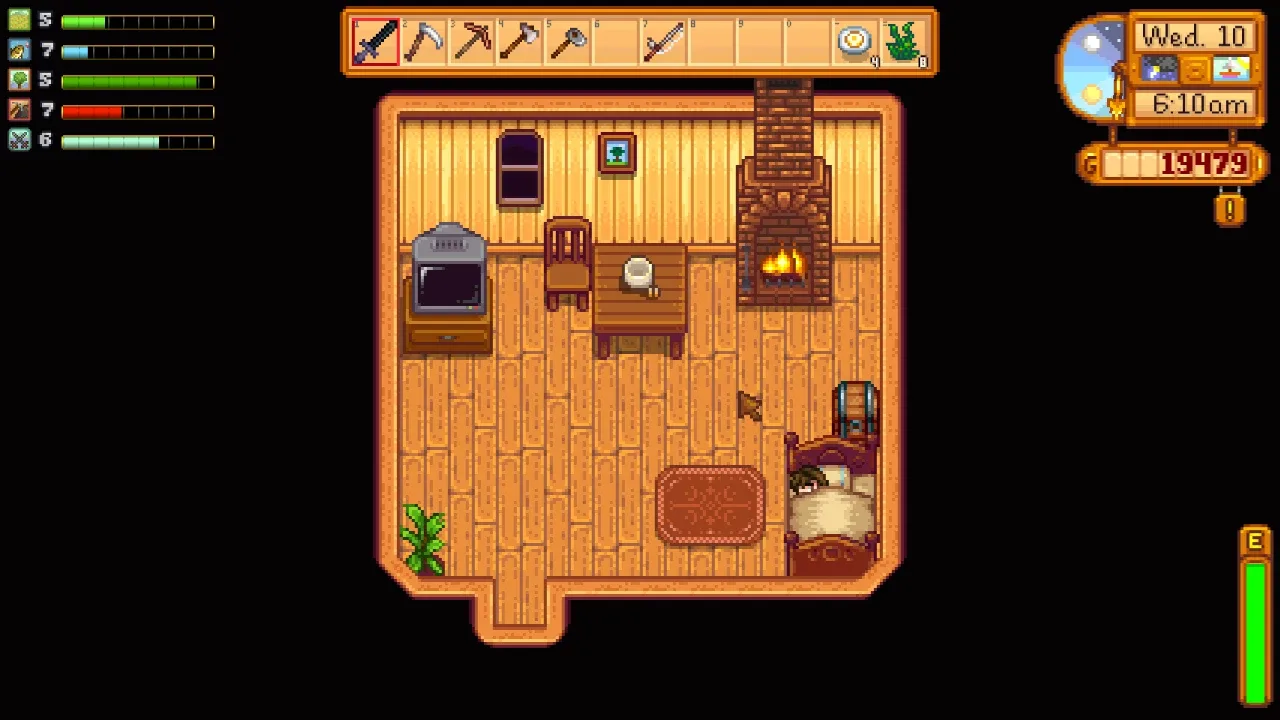
More screenshots on Nexus Mods ↗
What this mod does
Experience Bars, by spacechase0, adds an on-screen bar for each skill so you can see how much experience you need for the next level. The game only shows each skill’s level, not how much you’ve built up, so it’s really handy for deciding whether it’s a day for fishing, mining or farming.
Usage
- X shows or hides the bars.
- Shift + X lets you move them around the screen.
- Configuration is optional.
- Version 1.4.6 added support for Vanilla Professions Plus professions.
Compatibility
Version 1.4.6 (October 18, 2025, 65 KB) is built for Stardew Valley 1.6.14. The page text states compatibility from 1.5.5 on Windows, macOS and Linux, in single-player and multiplayer, and it carries the 1.6 and Android compatibility tags. It only requires SMAPI.
There’s no Spanish translation in the Nexus list (there are French, Russian, Turkish, Simplified Chinese and Indonesian), although the on-screen text is minimal and easy to understand.
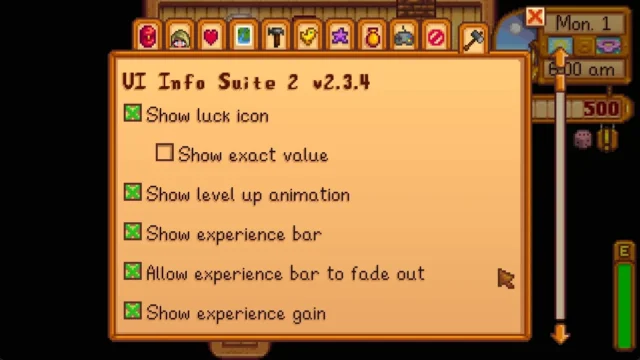
If you already use UI Info Suite 2, keep in mind it also has its own experience bar: pick one of the two so you don’t get the same info twice.
User rating
Highlights and things to keep in mind
- Very lightweight and simple
- Useful info the game doesn't show
- Movable bars
- Compatible with Vanilla Professions Plus
- No Spanish translation
- Duplicates a UI Info Suite 2 feature
Requirements
- Stardew Valley 1.6.14 or later (PC; tagged as Android-compatible)
- SMAPI 4.x
How to install it
- Install SMAPI first (see its mod page) and launch the game once with it to make sure it works.
- Open the Experience Bars page on Nexus Mods, go to the Files tab and click Manual download on the main file (Experience Bars 1.4.6). You need a free Nexus account to download.
- Unzip the .zip outside the game folder and move the resulting folder into Mods, inside the game folder (on Steam for Windows: C:\Program Files (x86)\Steam\steamapps\common\Stardew Valley\Mods).
- Launch the game with SMAPI, load your save and press X to show or hide the bars (Shift + X to move them).
Version history
-
1.4.618 Oct 2025Current
For SDV 1.6.14; support for Vanilla Professions Plus (contributed by AdamsGH)
Common problems
How do I move the bars?
With Shift + X. The X key shows or hides them.
Is it available in Spanish?
There's no Spanish translation on Nexus, but the mod has hardly any text.
Should I use it alongside UI Info Suite 2?
Better not: UI Info Suite 2 already has its own experience bar and you'd see the info twice.
More mods for Stardew Valley
 ✓ Stardew Valley 1.6Multiplayer
  ✓ Stardew Valley 1.6Multiplayer
  ✓ Stardew Valley 1.6Multiplayer
  ✓ Stardew Valley 1.6Multiplayer
  ✓ Stardew Valley 1.6Multiplayer
  ✓ Stardew Valley 1.6Multiplayer