Billboard Anywhere for Stardew Valley
Open the calendar, the Help Wanted board, Special Orders and Qi's board from anywhere with a single key. Version 1.15.0 for 1.6.5 or later.
Download Billboard Anywhere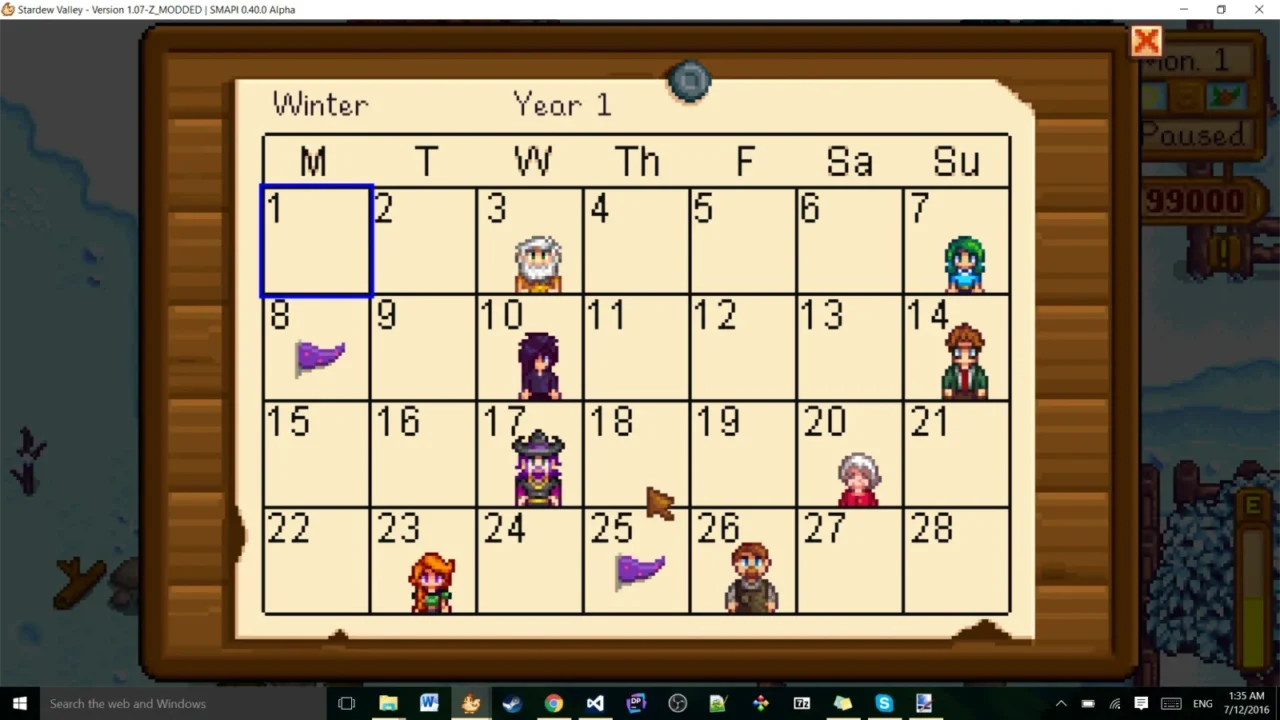
More screenshots on Nexus Mods ↗
What this mod does
Billboard Anywhere saves you the walks to the Pelican Town bulletin board. With one key you can open the calendar, the daily Help Wanted board, the Special Orders board and Qi’s challenges board from anywhere.
Default keys
B: calendar, with the month’s birthdays and festivals.H: quest board («Help Wanted»).N: Special Orders, once you’ve unlocked them.J: Mr. Qi’s challenges, also once unlocked.
It also adds a button in the inventory menu for each board. Keys are changed in config.json, and there are console commands to adjust the config without restarting the game (type help in the SMAPI console).
Compatibility
The 1.15.0 file (May 6, 2025, 29 KB) is for Stardew Valley 1.6.5 or later with SMAPI 4.0 or later, on Windows, macOS and Linux. That version adds compatibility with Better Game Menu, and 1.14.0 added the Special Orders and Qi boards. The page doesn’t mention multiplayer or translations; the board text comes from the game itself. It pairs well with UI Info Suite 2 to keep birthdays and quests at hand.
User rating
Highlights and things to keep in mind
- Saves trips to the town board
- Includes Special Orders and Qi's challenges
- Very lightweight
- Buttons in the inventory too
- Keys are changed in config.json (no in-game menu)
- No information about multiplayer
- Its B key may clash with other mods
Requirements
- Stardew Valley 1.6.5 or later (Windows, macOS or Linux)
- SMAPI 4.0 or later
How to install it
- Install SMAPI first (see its mod page) and launch the game once with it to make sure it works.
- Open the Billboard Anywhere page on Nexus Mods, go to the Files tab and click Manual download on the main file (Billboard Anywhere - Stardew Valley 1.6, 1.15.0). You need a free Nexus account to download.
- Extract the .zip outside the game folder and move the resulting folder into the Mods folder, inside the game folder.
- Launch the game with SMAPI, load your save and press B to open the calendar or H for the quest board.
Version history
-
1.15.06 May 2025Current
Compatibility with Better Game Menu (contributed by KhloeLeclair)
-
1.14.023 Apr 2024
Adds the Special Orders and Qi boards (contributed by KnewOne)
-
1.13.020 Mar 2024
Update for Stardew Valley 1.6
Common problems
Can I change the keys?
Yes, in config.json, or with console commands without restarting the game.
Does it open Special Orders from the start?
No: the Special Orders and Qi boards only open once you've unlocked them in your save.
Is it available in Spanish?
The boards use the game's own text, which is already available in Spanish; the mod has almost no text of its own.
More mods for Stardew Valley
 ✓ Stardew Valley 1.6Multiplayer
  ✓ Stardew Valley 1.6
  ✓ Stardew Valley 1.6
  ✓ Stardew Valley 1.6
  ✓ Stardew Valley 1.6Multiplayer
  ✓ Stardew Valley 1.6Multiplayer