Custom Spouse Patio Redux for Stardew Valley
Place your spouse's patio wherever you like, even off the farm, and show several patios at once. Includes an in-game wizard (F8 key).
Download Custom Spouse Patio Redux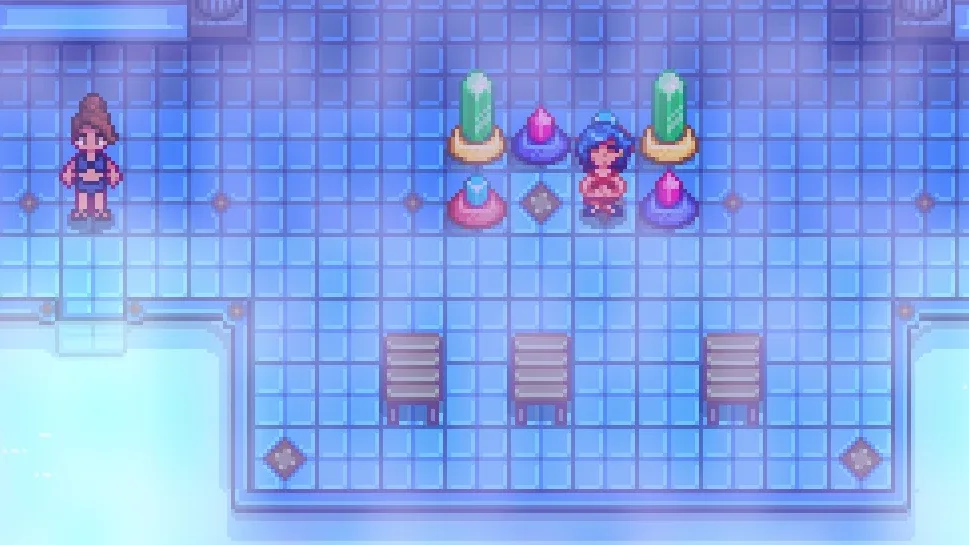
More screenshots on Nexus Mods ↗
What this mod does
Custom Spouse Patio Redux, by aedenthorn, merges his older Custom Spouse Patio and Custom Spouse Patio Wizard into a single mod, rebuilt on the spouse outdoor areas the game added in 1.5.5. It lets you decide where your spouse’s patio goes, that area next to the house where they spend some days.
What it lets you do
- Place spouse patios on any map, not just the farm.
- Move existing patios somewhere else.
- Show several spouse patios at once, handy if you play with multiple-spouse mods.
How to use it
Press the wizard key (F8 by default). To place a new patio, first hover the cursor over the tile where you want it and then open the wizard. Since 0.4.0 you can also configure it with Generic Mod Config Menu. New custom patios are created with Content Patcher, following the wiki’s 1.5.5 migration guide.
Requirements and compatibility
It only requires SMAPI. Version 0.4.1 (July 10, 2026, 28 KB) is the current version; 1.6 support arrived in 0.3.6. Patios made with the original Custom Spouse Patio or its wizard aren’t compatible. A Spanish translation is published by the author himself on Nexus. Its permissions are very open.
User rating
Highlights and things to keep in mind
- Spouse patios wherever you want
- One-key in-game wizard
- Several patios at once
- Only requires SMAPI
- Doesn't carry over patios from the old mod
- Creating new patios requires Content Patcher and knowing the format
Requirements
- Stardew Valley 1.6.x (PC)
- SMAPI 4.x
- Optional: Generic Mod Config Menu
How to install it
- Install SMAPI first (see its mod page) and launch the game once with it to check that it works.
- If you had Custom Spouse Patio or Custom Spouse Patio Wizard, remove them: their patios aren't compatible.
- Open the Custom Spouse Patio Redux page on Nexus Mods, go to the Files tab and click Manual download on the main file (Custom Spouse Patio Redux 0.4.1). You need a free Nexus account to download.
- Unzip the .zip outside the game folder and move the resulting folder into the Mods folder, inside the game folder.
- In-game, hover the cursor where you want the patio and press F8 to open the wizard.
Version history
-
0.4.110 Jul 2026Current
Removes repeated messages in the log
-
0.4.09 Jul 2026
Adds Generic Mod Config Menu support
-
0.3.616 Apr 2025
Updated for 1.6
Common problems
Does it work with patios from the old mod?
No. Patios from the original Custom Spouse Patio or its wizard aren't compatible.
Can I put the patio off the farm?
Yes, on any map.
Is it available in Spanish?
There's a Spanish translation published by the author himself on Nexus.
More mods for Stardew Valley
 ✓ Stardew Valley 1.6
  ✓ Stardew Valley 1.6
  ✓ Stardew Valley 1.6
  ✓ Stardew Valley 1.6
  ✓ Stardew Valley 1.6
  ✓ Stardew Valley 1.6