Service at Companies for American Truck Simulator
Adds service points at companies that ship or receive special transport, so you can add or remove oversize load signs on the spot. Version 1.13 for ATS 1.61.
Download Service at Companies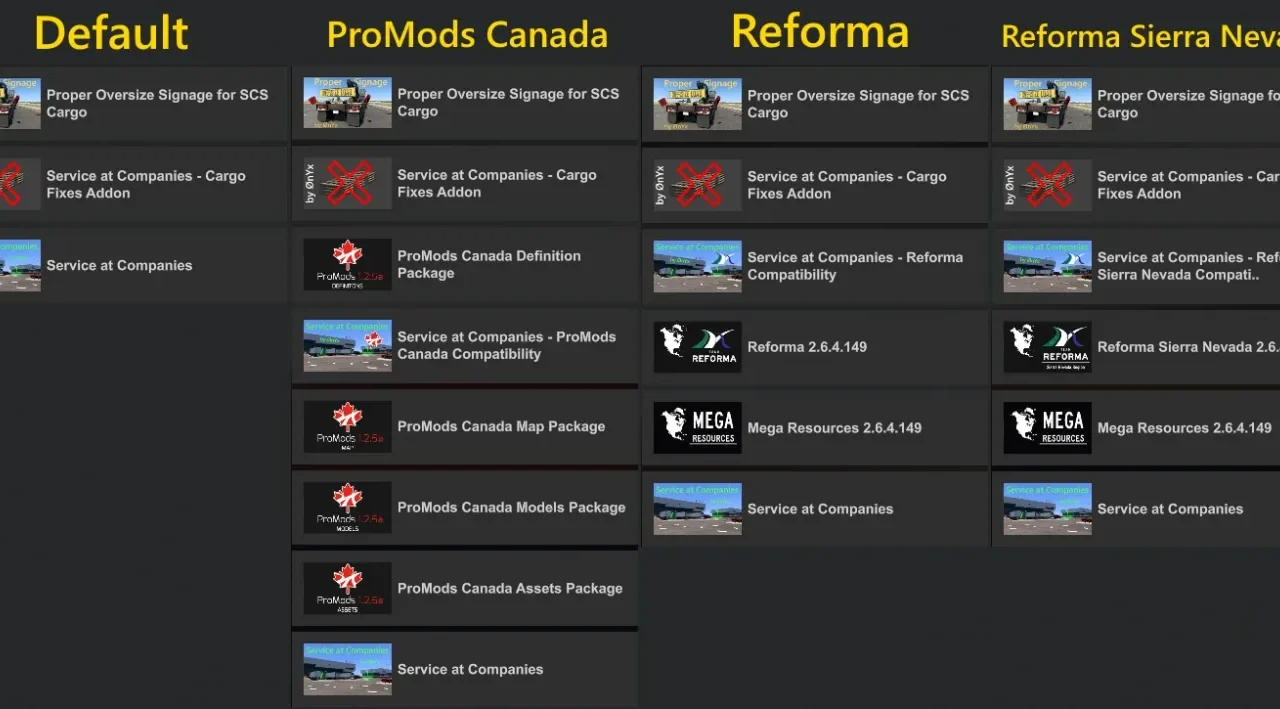
More screenshots on TruckyMods (verified creator) ↗
What this mod does
Service at Companies fixes a very specific annoyance with special transport in ATS: Oversize Load signs are added and removed at a service point, and companies don’t have one. This mod by ØnYx adds service points at every company that offers or accepts oversize loads, so you can fit or remove signs and flags right when you load or unload.
What’s included
- Service points at companies in map DLC up to Louisiana, Illinois and South Dakota, plus the California and Route 66 reworks.
- A file that hides the repair icons in the two most zoomed-out GPS views.
- Optional cargo fixes add-on and patches for ProMods Canada, Reforma and Reforma Sierra Nevada.
Compatibility
It works with any map if you place it below that map. It’s only for SCS cargo, including cargo DLC. It doesn’t require map DLC, although the author warns there may be bugs if you don’t have them all.
Known issues
When you fast travel or call a tow truck, you may end up at a company. You might see stray service points on Texas roads, and the log shows North Dakota errors you can ignore. Since 1.11 it no longer adds service at garages.
Holyfix Check
Will it work with your mods?
Load your game.log.txt and check whether this mod is for your ATS version, whether you're missing a mod or DLC it needs and where to place it.
It's in Documents › American Truck Simulator › game.log.txt. It's read in your browser: the file is never uploaded.
Something else failing? Holyfix for ATS checks all your mods at once.
User rating
Highlights and things to keep in mind
- Makes special transport much more convenient
- Updated with every game version
- Patches for popular maps
- Fills the map with repair icons (hidden only in zoomed-out views)
- Fast travel can leave you at a company
- Only covers SCS cargo
Requirements
- American Truck Simulator 1.61
- SCS cargo (base game or cargo DLC)
How to install it
- Download 1.13 from TruckyMods.
- If you use ProMods Canada or Reforma, also get its patch from the thread.
- Copy the .scs files to Documents/American Truck Simulator/mod.
- In the Mod Manager, keep Service at Companies below your maps.
Version history
-
1.1327 Sep 2026Current
Version for ATS 1.61 and South Dakota companies
-
1.1227 Jun 2026
Version for ATS 1.60
-
1.1117 May 2026
ATS 1.59, Illinois companies and no more service at garages
Common problems
What is it for?
To add or remove oversize load signs at the company itself, without looking for a service shop.
Do I need every DLC?
It's not required, but the author warns there may be problems without them.
Does it work with third-party maps?
Yes, if it goes below them; there are patches for ProMods Canada and Reforma.
Does it work with modded cargo?
No, it's designed only for SCS cargo.
More mods for ATS
 ATS 1.60Requires DLC
  ✓ ATS 1.61Requires DLC
  ATS 1.60
  ✓ ATS 1.61Requires DLC
  ✓ ATS 1.61Requires DLC
  ✓ ATS 1.61Requires DLC