DaisyNiko’s Earthy Interiors for Stardew Valley
A warm, earthy recolor of the town and farmhouse interiors, with matching furniture, wallpapers and floors. Version 1.2.2 for Stardew Valley 1.6.
Download DaisyNiko’s Earthy Interiors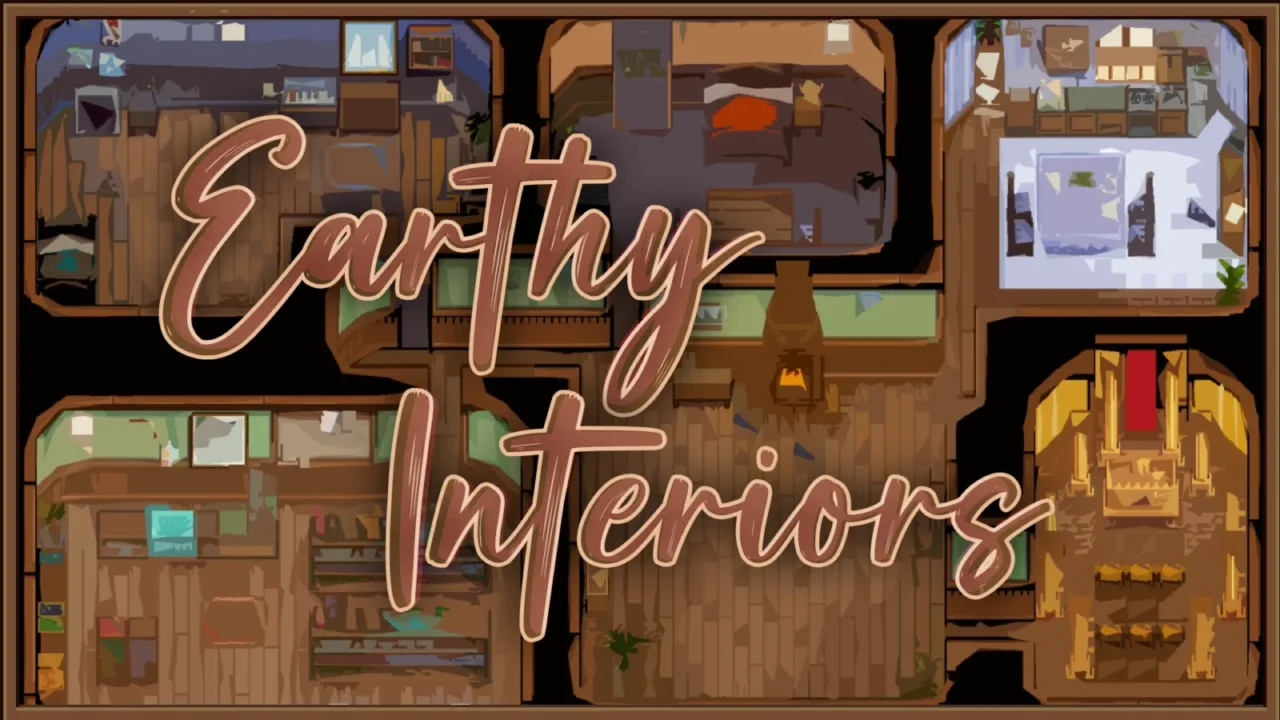
More screenshots on Nexus Mods ↗
What this mod does
DaisyNiko’s Earthy Interiors brings the palette of DaisyNiko’s Earthy Recolour indoors: warm, natural tones for the town houses and the farmhouse, less saturated than the originals.
What it changes
- Recolors the interior sheets toward a more natural palette.
- Removes the purple tint from the shadows in most buildings.
- Cleans up the bathhouse so it doesn’t look dirty or abandoned.
- Recolors the default furniture, wallpapers and floors so they match.
Options and compatibility
In config.json you can turn on or off the interior lighting, the farmhouse furniture, walls and floors, the coop and barn, and the bathhouse. It needs SMAPI and Content Patcher. Version 1.2.2 (January 9, 2025, 1.2 MB) works with 1.6 and the page marks it as Android compatible.
According to the author, it’s compatible with most mods, including those that edit interior maps, and it comes with patches for Stardew Valley Expanded. An optional file adds compatibility with Bigger Backpack. It pairs well with Cuter Coops and Better Barns, by the same author. It has no text to translate.
User rating
Highlights and things to keep in mind
- Warm interiors that match Earthy Recolour
- Per-area options in config.json
- Patches for SVE and Bigger Backpack
- Lightweight (1.2 MB)
- Configured by editing config.json
- Conflicts with other interior recolors
Requirements
- Stardew Valley 1.6.x (PC; the page also marks it as Android compatible)
- SMAPI 4.x
- Content Patcher
How to install it
- First install SMAPI and Content Patcher (see their mod pages) and launch the game once with SMAPI to check that everything loads.
- Open the DaisyNiko's Earthy Interiors page on Nexus Mods, go to the Files tab and click Manual download on the main file (DaisyNiko's Earthy Interiors 1.2.2). You need a free Nexus account to download.
- Unzip the .zip outside the game folder and move the resulting folder into the Mods folder inside the game folder. If you had an older version, delete it first instead of overwriting it.
- If you use Bigger Backpack, also download Compatibility Patches from Optional files and copy it into the Mods folder.
- Launch the game with SMAPI so config.json is generated and, if you like, turn off the lighting, furniture, walls and floors, barns or bathhouse there.
Version history
-
1.2.29 Jan 2025Current
Fixes the farmhouse pillars
-
1.210 Nov 2024
Update for 1.6.10 or later
-
1.128 Apr 2024
New 1.6 terrain sheets
Common problems
Do I need Earthy Recolour?
No, but it's designed to be combined with it and with Earthy Interface.
Does it also change furniture I've bought?
It recolors the farmhouse's default furniture; you can turn this off with RecolourFarmHouseFurniture.
Does it work with SVE?
Yes, since 1.0.2 it includes patches for Stardew Valley Expanded.
More mods for Stardew Valley
 ✓ Stardew Valley 1.6
  ✓ Stardew Valley 1.6
  ✓ Stardew Valley 1.6Multiplayer
  ✓ Stardew Valley 1.6Multiplayer
  ✓ Stardew Valley 1.6Multiplayer
  ✓ Stardew Valley 1.6Multiplayer