Mini Bars – Healthbars Mod for Stardew Valley
Small, customizable health bars above monsters, with a different style for each one. Version 1.0.5 (January 2025), compatible with Stardew Valley 1.6.
Download Mini Bars – Healthbars Mod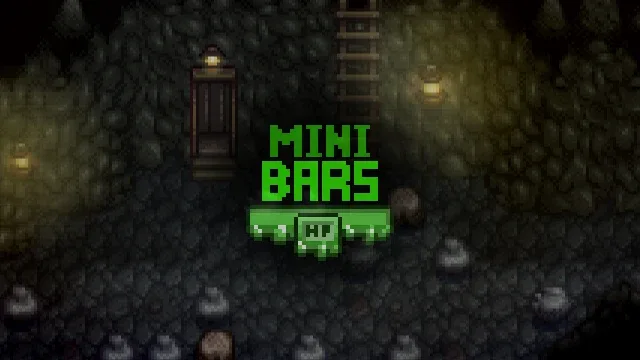
More screenshots on Nexus Mods ↗
What this mod does
Mini Bars adds health bars above most of Stardew Valley’s monsters, something the base game doesn’t show. That way you know how many hits that iridium bat has left or whether it’s worth continuing to fight a big monster in the Skull Cavern.
Features
- Bars with their own look for each monster type, including the specially colored ones from the iridium quarry and the red lands.
- Two themes: mini bars (
Bars_Theme«1») or long bars («2»). Show_Full_Life: also shows the bar for monsters at full health.Range_Verification: only shows bars for monsters within a certain distance.- All options can also be changed with in-game commands.
Compatibility
It only needs SMAPI. Version 1.0.5 (January 10, 2025, 111 KB) fixes bugs and adds compatibility with Ridgeside Village and Swim Continued, and the page tags it as compatible with 1.6. Version 1.0.4 optimized performance with help from Shocka and Atravita. If you’re coming from 1.0.2, the author asks you to delete the old files before installing.
The page doesn’t mention multiplayer or translations: the mod has hardly any text. It fits well with combat mods like Sword & Sorcery.
User rating
Highlights and things to keep in mind
- Useful combat info the game doesn't give you
- A different style for each monster
- Lightweight and easy to configure
- No in-game config menu
- No information about multiplayer
- You need to delete old versions before updating from 1.0.2
Requirements
- Stardew Valley 1.6.x (PC)
- SMAPI 4.x
How to install it
- Install SMAPI first (see its mod page) and launch the game once with it to make sure it works.
- Open the Mini Bars page on Nexus Mods, go to the Files tab and click Manual download on the main file (Mini Bars 1.0.5). You need a free Nexus account to download.
- Extract the .zip outside the game folder and move the resulting folder into the Mods folder, inside the game folder.
- If you had an old version (1.0.2 or earlier), delete its folder from the Mods folder first.
- Launch the game once so config.json is created and, if you want long bars, change Bars_Theme to 2.
- Head into the mines with SMAPI and check that monsters show their health bar.
Version history
-
1.0.510 Jan 2025Current
Fixes and compatibility with Ridgeside Village and Swim Continued
-
1.0.49 Jun 2023
Optimization (thanks to Shocka and Atravita)
Common problems
Can I change the size of the bars?
Yes: Bars_Theme accepts "1" (mini) or "2" (long). The author asks you not to use other values.
Are bars shown for monsters at full health?
Only if you turn on Show_Full_Life.
Does it have an in-game menu?
It doesn't use Generic Mod Config Menu; it's configured in config.json or with commands.
More mods for Stardew Valley
 ✓ Stardew Valley 1.6
  ✓ Stardew Valley 1.6
  ✓ Stardew Valley 1.6
  ✓ Stardew Valley 1.6Multiplayer
  ✓ Stardew Valley 1.6Multiplayer
  ✓ Stardew Valley 1.6Multiplayer