Vibrant Pastoral Redrawn (VPR) for Stardew Valley
A full recolor in bright pastel tones that also redraws trees and other elements. Version 2.0.10 for 1.6.14 or later, with add-ons for SVE and East Scarp.
Download Vibrant Pastoral Redrawn (VPR)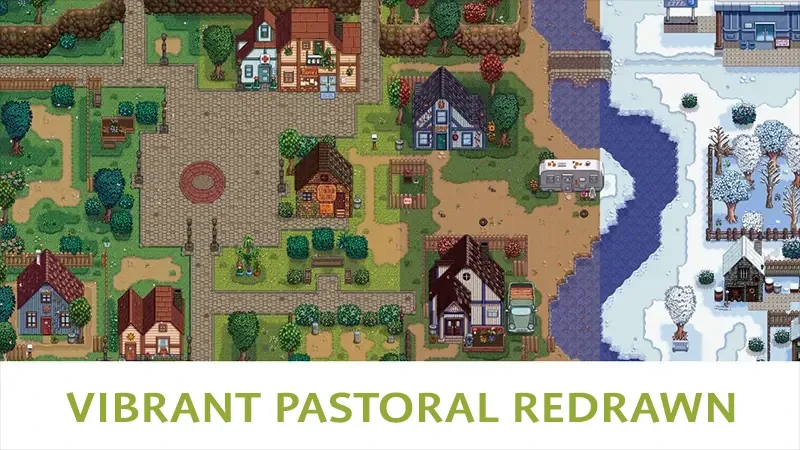
More screenshots on Nexus Mods ↗
What this mod does
Vibrant Pastoral Redrawn, known for years as Vibrant Pastoral Recolor (VPR), is the full recolor by the Vibrant Pastoral Team. It shifts the palette of almost the entire game toward brighter pastel colors and redraws some elements, like trees or couches.
Main options
- Orange or green fall and several grass types: medium, short, flowery or a greener blue grass.
- Ground flowers, flowering bushes and snow on bushes, fences and roofs in winter, all optional.
- Festival decorations and a sandstone or iridium oasis.
- Text drawn into the textures adapts to the game’s official languages.
Requirements and compatibility
It requires SMAPI and Content Patcher, and the team recommends Generic Mod Config Menu to adjust the options. File 2.0.10 (May 23, 2026, 7.9 MB) requires Stardew Valley 1.6.14 or later and the page marks it as Android-compatible.
There are optional add-ons for Stardew Valley Expanded, East Scarp and Lumisteria’s outdoor tilesheets. According to the page, it works alongside Simple Foliage, Better Water and NPC Map Locations. If you play in Spanish, Gonzy42 publishes a translation with patches on Nexus.
User rating
Highlights and things to keep in mind
- Full recolor with redrawn elements
- Lots of options for fall, grass, flowers and snow
- Add-ons for SVE, East Scarp and Lumisteria
- Updated in 2026 and marked as Android-compatible
- With SVE you have to disable some SVE options
- The East Scarp add-on requires a manual downgrade on Android, according to its description
- Conflicts with other recolors that change the same textures
Requirements
- Stardew Valley 1.6.14 or later (PC; the page also marks it as Android-compatible)
- SMAPI 4.x
- Content Patcher
- Recommended: Generic Mod Config Menu
How to install it
- Install SMAPI and Content Patcher first (see their mod pages) and launch the game once with SMAPI to make sure everything loads.
- Also install Generic Mod Config Menu if you want to configure it in-game.
- Open the Vibrant Pastoral Redrawn page on Nexus Mods, go to the Files tab and click Manual download on the main file (Vibrant Pastoral Redrawn 2.0.10). You need a free Nexus account to download.
- Unzip the .zip outside the game folder and move the resulting folder into the Mods folder, inside the game folder.
- If you play with SVE or East Scarp, also download its add-on (Vibrant Pastoral Expanded or Vibrant Pastoral East Scarp) from Optional files and copy it into Mods.
- Launch the game with SMAPI and choose the fall, grass and other options in the mod menu on the title screen.
Version history
-
2.0.1023 May 2026Current
Current file; downgrades the format to improve Android compatibility
-
2.0.6-sve23 May 2026
Vibrant Pastoral Expanded add-on for SVE
-
0.5.2-es19 Mar 2026
Add-on for East Scarp 3.0 or later
Common problems
How is it different from the old Vibrant Pastoral Recolor?
It's the same project, revamped: besides recoloring, it redraws some elements and updates everything for 1.6. The 1.13.1 versions for 1.5 are still in Old files.
What do I do if I use SVE?
Install the Vibrant Pastoral Expanded add-on. Its description asks you to disable the SeasonalEdits (at least in winter), ReplaceDefaultFences and ReplaceHardwoodFences options in SVE.
Is it available in Spanish?
The mod follows the game's language for drawn-in text. Gonzy42 publishes a Spanish translation with patches on Nexus.
More mods for Stardew Valley
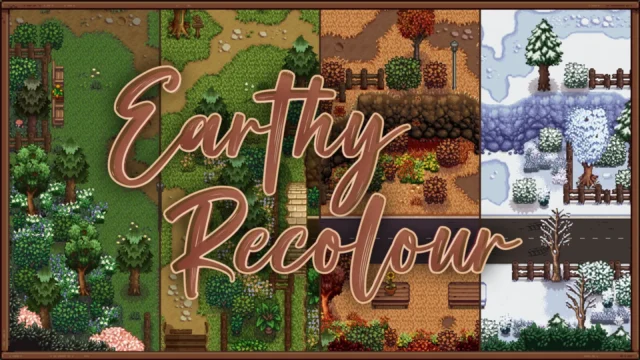 ✓ Stardew Valley 1.6Multiplayer
 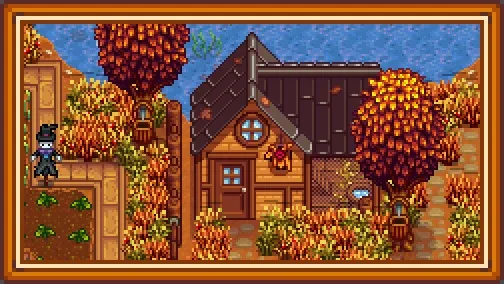 ✓ Stardew Valley 1.6Multiplayer
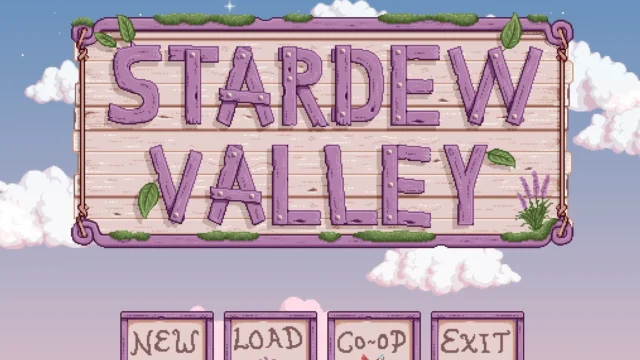 ✓ Stardew Valley 1.6
  ✓ Stardew Valley 1.6Multiplayer
  ✓ Stardew Valley 1.6Multiplayer