Hyper Wardrobes for Hytale
Turns decorative wardrobes into 63-slot storage and adds new wardrobe models. Version 1.1.5 for Hytale 0.7, with no dependencies needed.
Download Hyper Wardrobes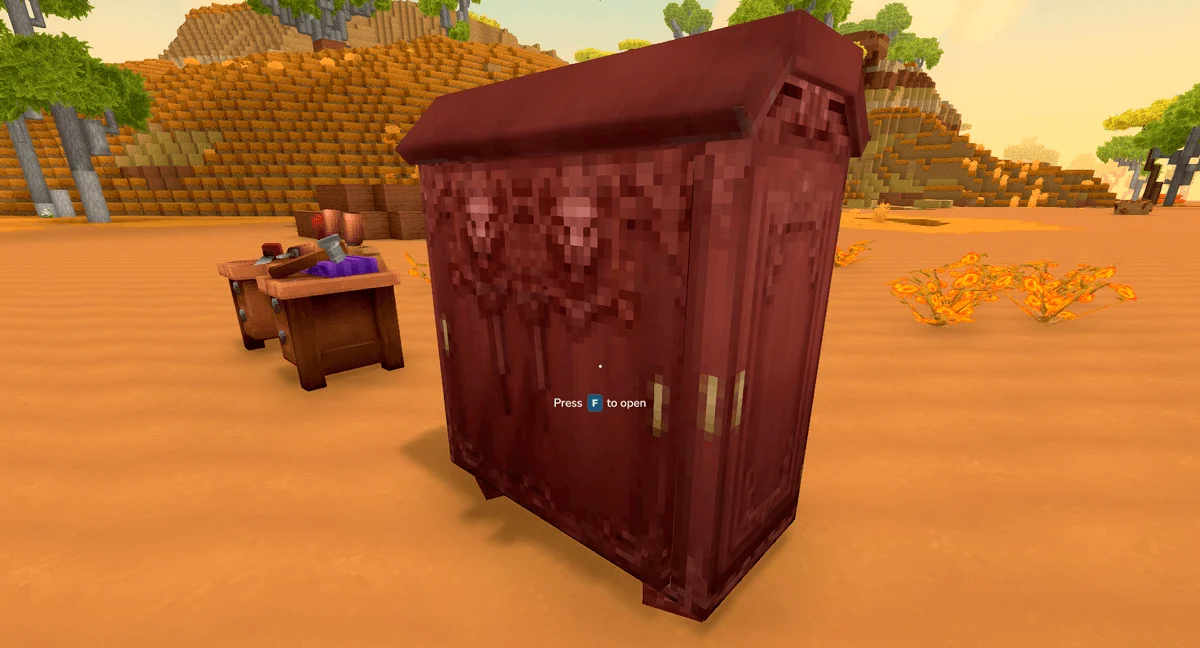
More screenshots on CurseForge ↗
What this mod does
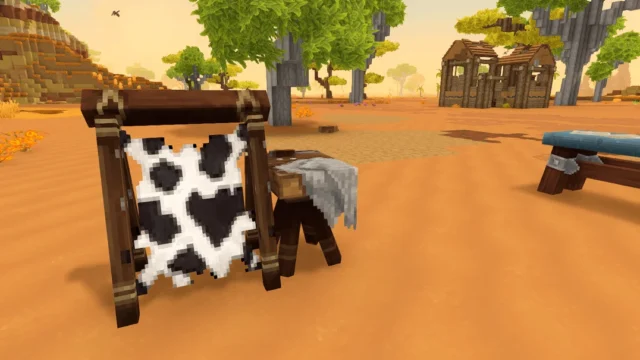
Hyper Wardrobes turns Hytale’s decorative wardrobes into real storage: each wardrobe opens like a chest and has 63 slots. It also adds new craftable wardrobe models, starting with a variant called «Unfrozen».
How to use it
- Wardrobes are crafted at the Furniture Bench, in the storage category, next to the chests.
- Wardrobes you had already placed before installing the mod can’t be opened: break them and place them again so their inventory gets created.
- It’s a 158 KB content pack (.zip), with no commands or settings.
Compatibility
Version 1.1.5, from October 12, 2026, is the file marked for 0.7; its changelog only mentions the adaptation to Update 7. Unlike other PedriJoe mods, it doesn’t need PJ CoreLib: its dependencies tab is empty.
It’s a good choice if you like decorating your base with furniture and don’t want to cover the walls in chests: the wardrobe blends into a bedroom or a dressing room. If you use another mod that also changes wardrobes, test them together first, because both touch the same block. To organize what you store, combine it with Auto Sort – Organizer chest or Wan’s Storage Drawers.
If you’re also after fantasy-style wardrobes and furniture, check out The Fantasy Furniture.
User rating
Highlights and things to keep in mind
- 63 slots per wardrobe
- No dependencies or settings
- New wardrobe models, like the Unfrozen
- You have to re-place wardrobes that already existed
- The page is brief: it doesn't list all the new models
- All Rights Reserved license
Requirements
- Hytale (Early Access) on PC or server, version 0.7 (file PJ-HyperWardrobes-1.1.5.zip)
- No dependencies: doesn't need PJ CoreLib or other mods
How to install it
- Open the Hyper Wardrobes page on CurseForge and click Install to set it up with the CurseForge app, or download PJ-HyperWardrobes-1.1.5.zip from the Files tab (the file marked 0.7).
- If you download it manually, copy the file as is, without unzipping it, into the mods folder: on Windows, %APPDATA%\Hytale\UserData\Mods.
- Open Hytale, right-click the world, check Hyper Wardrobes in the mod list and save the world settings.
- On a dedicated server, put the file in the server's mods folder and restart it.
- If you already had wardrobes placed, break them and place them again so you can open them.
Version history
-
1.1.512 Oct 2026Current
Update for 0.7.0 (Chapter 1 - Out of the breach)
-
1.1.41 Oct 2026
Version for Hytale 0.6
Common problems
Why can't I open my old wardrobes?
The ones placed before installing the mod have no inventory. Break them and put them back down.
Where are they crafted?
At the Furniture Bench, in the storage category, next to the chests.
Does it need PJ CoreLib?
No. Unlike the author's other mods, it has no dependencies.
More mods for Hytale
 Multiplayer
  Multiplayer
  Multiplayer
  Multiplayer
  Multiplayer